Voiceling
AI-powered YouTube dubbing and translation Chrome extension with realistic voiceovers.
5.0
Rating
4
Saved
--
Visits/mo
Screenshots
Overview
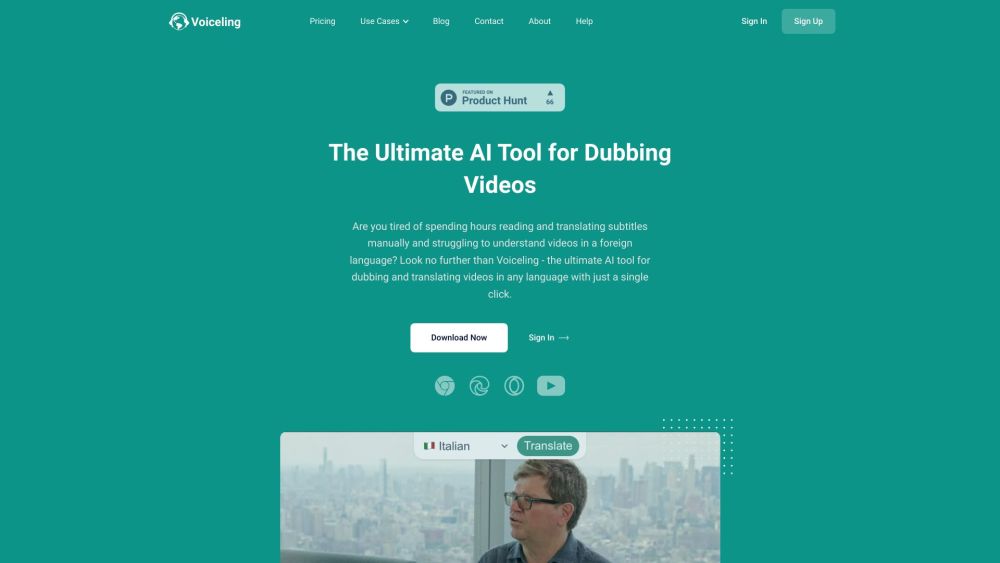
Voiceling is an AI-driven Chrome Extension that enables YouTube dubbing and translation to videos. It supports 30+ languages with realistic voiceovers, gender recognition, multi-speaker detection, and background noise conservation. Voiceling aims to provide a dubbing and translation experience with AI that rivals human quality, eliminating the need for expensive translators.
How to Use
Install the Voiceling Chrome extension. Navigate to a YouTube video. A 'Translate' button will appear, allowing you to dub the video into your desired language with a single click.
Core Features
AI-powered dubbing and translation Support for 30+ languages Realistic voiceovers Gender recognition Multi-speaker detection Background noise conservation
Use Cases
- 1 Instantly dub and translate YouTube videos
- 2 Understand and enjoy global content in your native language
- 3 Translate YouTube shorts
Frequently Asked Questions
What languages does Voiceling support?
Voiceling supports a wide range of languages for dubbing and translation, including major world languages. The full list is available on the official website.
How to use Voiceling for YouTube shorts?
Install the Voiceling Chrome extension, open a YouTube Short, and select the target language to generate a dubbed version. The extension adds a dubbing option right in the player.
Can Voiceling accurately translate technical content?
Voiceling handles technical content reasonably well, with AI translation that captures domain terminology. For highly specialized material, the results may benefit from a quick review.
Are there any limitations on video length?
Voiceling supports both regular videos and Shorts, with dubbing quality that scales to video length. Longer videos may take more time to process.
Is Voiceling available as a mobile app?
Voiceling is a Chrome extension designed for desktop browsers. Mobile users can access it through Chrome on mobile where extensions are supported.
How long does it take to dub a video with Voiceling?
Dubbing usually takes a few minutes, depending on the video length. The process runs automatically after you select the target language.
Does Voiceling support other platforms besides YouTube?
Voiceling focuses on YouTube and YouTube Shorts. Support for additional platforms may be added in the future.
Does Voiceling offer customer support?
Yes, Voiceling provides customer support through email or its website. You can reach out with questions or issues at any time.
Is my data and privacy protected when using Voiceling?
Voiceling processes videos for dubbing and does not misuse your data. Your personal information is handled according to the privacy policy on their website.
Can I cancel or change my subscription plan at any time?
Yes, you can cancel or change your subscription at any time from your account settings. Changes take effect according to your billing cycle.
Quick Info
- Category
- Voice Generation & Conversion
- Subcategory
- AI Voice Over
- Added on
- Aug 07 2023
- Monthly Visits
- --
- Rating
- 5.0 / 5.0
- Saved
- 4


