AI Emoji Maker - Chrome Extension
AI-powered tool to create emojis from text descriptions.
Screenshots
Overview
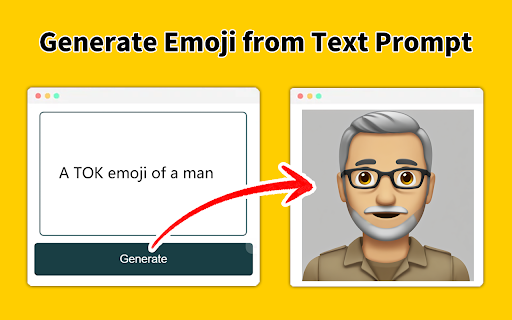
AI Emoji Maker is a Chrome extension that brings AI-powered custom emoji creation directly into your browser workflow. This tool allows users to generate unique emojis from text descriptions without leaving their current tab, offering convenience and speed for frequent emoji users. The extension is designed to integrate seamlessly with the Chrome ecosystem, making it accessible from any web page context—whether you're composing a message, editing a document, or designing a presentation. It uses AI to interpret natural language prompts and produce emojis that match the described concept, mood, or object. This is particularly useful for professionals who want branded emojis for internal team communication, or individuals who want a broader, more expressive emoji set than what's standard. The compact interface keeps the process fast and simple, making it a handy productivity and creativity tool.
How to Use
Install the extension from the Chrome Web Store, then click the extension icon to open the emoji generator. Type your description, adjust any optional settings, and generate; once the emoji is created, you can copy it directly to your clipboard for use anywhere.
Core Features
Use Cases
- 1 Creating custom emojis from text descriptions.
Frequently Asked Questions
How do I install this Chrome extension?
Can I create emojis while browsing?
Does the extension work offline?
Quick Info
- Category
- Image Generation & Editing
- Subcategory
- Text to Image
- Added on
- Nov 16 2024
- Monthly Visits
- 674
- Rating
- 3.3 / 5.0
- Reviews
- 12


