Editaimg
AI image editor for background removal, object replacement, and high-resolution upscaling.
Screenshots
Overview
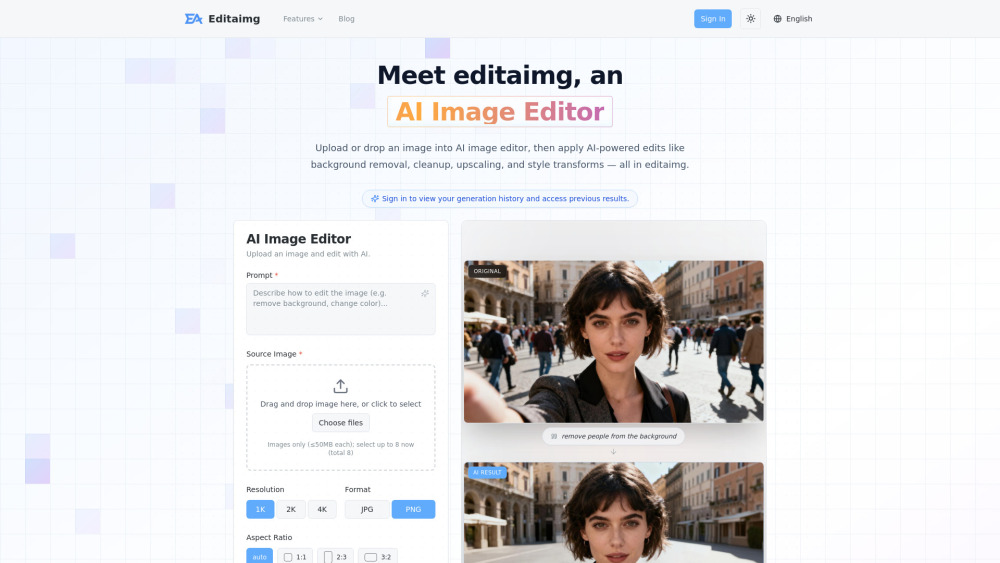
Editaimg is an AI image editor offering a suite of practical, high-impact editing tools, including background removal, object replacement, and high-resolution upscaling. It simplifies complex photo manipulation tasks that traditionally require manual selection and layering skills. Users can cleanly separate subjects from backgrounds, swap out unwanted objects with realistic alternatives, and enlarge images without losing quality. The tool is designed for graphic designers, e-commerce sellers, photographers, and casual users who need fast, professional-looking results. Editaimg delivers these core editing capabilities through an intuitive interface, making advanced image processing accessible to everyone.
How to Use
Upload an image and select an editing function, such as removing the background, replacing an object, or upscaling resolution. Adjust the AI settings if available, then preview and download the edited image in high quality.
Core Features
Use Cases
- 1 Removing unwanted people or distracting objects from travel and landscape photos
- 2 Creating realistic product shots by placing items in new settings
- 3 Translating text inside images while maintaining the original style
- 4 Upscaling low-resolution images for professional printing or web use
- 5 Editing text directly on images to match fonts and textures
Frequently Asked Questions
What is Editaimg and how does it work?
Quick Info
- Category
- Image Generation & Editing
- Subcategory
- AI Watermark Remover
- Added on
- Apr 16 2026
- Monthly Visits
- --
- Rating
- 5.0 / 5.0





