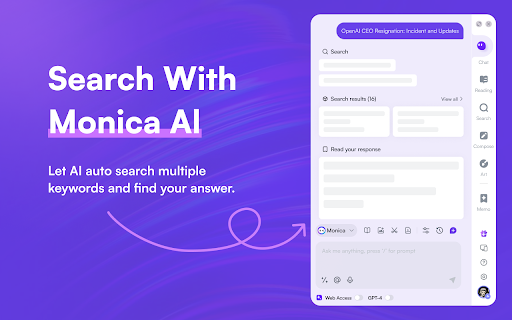
Monica - Chrome Extension
A GPT-4 AI assistant for various tasks like searching, writing, and translating.
Screenshots
Overview
Monica is a GPT-4 powered AI assistant available as a Chrome extension, designed to help with everyday tasks like searching the web, writing emails or articles, and translating text instantly. It acts as a sidekick in your browser, offering quick answers, paraphrasing, and content generation without switching tabs. Ideal for students, professionals, and anyone who wants to save time, Monica brings advanced AI capabilities directly into your daily workflow with just a click.
How to Use
Install the Monica extension in your Chrome browser. Click the icon to open the assistant, then type or paste text to search, write, translate, or summarize. Use the right-click context menu to highlight text for quick actions like translation or rewriting. Toggle between GPT-4 models for different task outputs.
Core Features
Use Cases
- 1 Monica ai chrome extension's Use Cases
- 2 Summarizing web pages and YouTube videos
- 3 Translating documents and web pages
- 4 Generating text and outlines for writing projects
- 5 Creating AI art from text prompts
- 6 Searching the internet and synthesizing information
- 7 Responding to emails quickly with suggested replies
Frequently Asked Questions
Monica is a GPT-4-powered Chrome extension assistant for searching, writing, translating, and chatting on any page. It works with multiple search engines, doesn't require a ChatGPT or OpenAI account, and offers a free tier with premium options.
Quick Info
- Category
- Writing & Editing
- Subcategory
- AI Writing Assistants
- Added on
- Jun 26 2026
- Monthly Visits
- 3.0M
- Rating
- 4.9 / 5.0
- Saved
- 4



