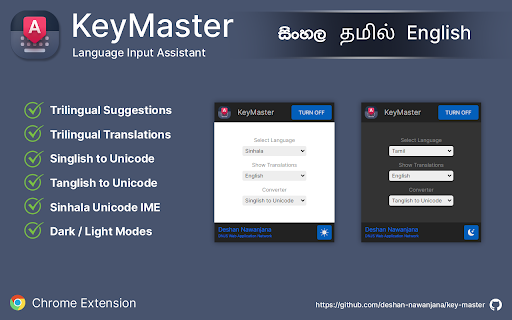
KeyMaster - Chrome Extension
Offline language input assistant and translator for Sinhala, Tamil & English.
Screenshots
Overview
KeyMaster is a Chrome extension that serves as an offline language input assistant and translator, supporting Sinhala, Tamil, and English. It enables users to type seamlessly in their preferred language without needing an internet connection, making it ideal for bilingual professionals, students, and travelers. Beyond translation, the tool enhances typing efficiency and accuracy, bridging language gaps and simplifying communication across diverse linguistic contexts right within the browser.
How to Use
Install the KeyMaster extension, then click its icon to activate. Type in your preferred language or use the translator feature to convert text between Sinhala, Tamil, and English. Works fully offline for quick input and translation.
Core Features
Use Cases
- 1 KeyMaster ai chrome extension's Use Cases
- 2 Typing in Sinhala, Tamil, or English with suggestions and translations on any webpage.
- 3 Converting Singlish or Tanglish to Unicode.
- 4 Using a Sinhala Unicode IME.
Frequently Asked Questions
What languages does KeyMaster support?
Does KeyMaster require an internet connection?
What features are included in KeyMaster?
Quick Info
- Category
- Writing & Editing
- Subcategory
- AI Writing Assistants
- Added on
- Jul 31 2022
- Monthly Visits
- 283
- Rating
- 0.0 / 5.0



