KeyMaster - Chrome Extension
Offline language input assistant and translator for Sinhala, Tamil & English.
0.0
Rating
283
Visits/mo
Screenshots
Overview
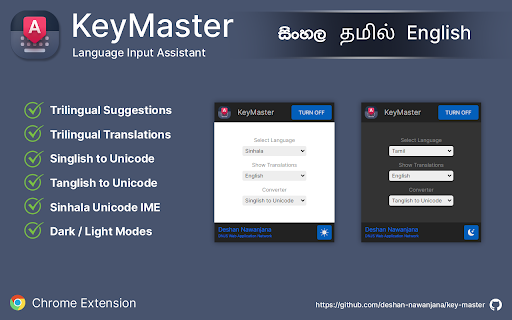
KeyMaster is an offline language input assistant and translator for Sinhala, Tamil & English. This extension includes features such as trilingual suggestions, trilingual translations, Singlish to Unicode conversion, Tanglish to Unicode conversion, and a Sinhala Unicode IME.
How to Use
How to use KeyMaster ai chrome extension? After installing the extension, turn it on and select the language you want to type. Start typing on any webpage to see suggestions and translations.
Core Features
KeyMaster ai chrome extension's Core Features Trilingual Suggestions Trilingual Translations Singlish to Unicode Conversion Tanglish to Unicode Conversion Sinhala Unicode IME
Use Cases
- 1 KeyMaster ai chrome extension's Use Cases
- 2 Typing in Sinhala, Tamil, or English with suggestions and translations on any webpage.
- 3 Converting Singlish or Tanglish to Unicode.
- 4 Using a Sinhala Unicode IME.
Frequently Asked Questions
What languages does KeyMaster support?
KeyMaster supports Sinhala, Tamil, and English. It also provides translation between these languages.
Does KeyMaster require an internet connection?
No, KeyMaster works fully offline. All input and translation happen directly on your device.
What features are included in KeyMaster?
It includes offline typing assistance, translation, and keyboard support for the supported languages. It is designed for fast, private input.
Quick Info
- Category
- Writing & Editing
- Subcategory
- AI Writing Assistants
- Added on
- Jul 31 2022
- Monthly Visits
- 283
- Rating
- 0.0 / 5.0


