Google Docs AI-Assistant Extension
AI-powered Google Docs extension for writing, research, and editing assistance.
Screenshots
Overview
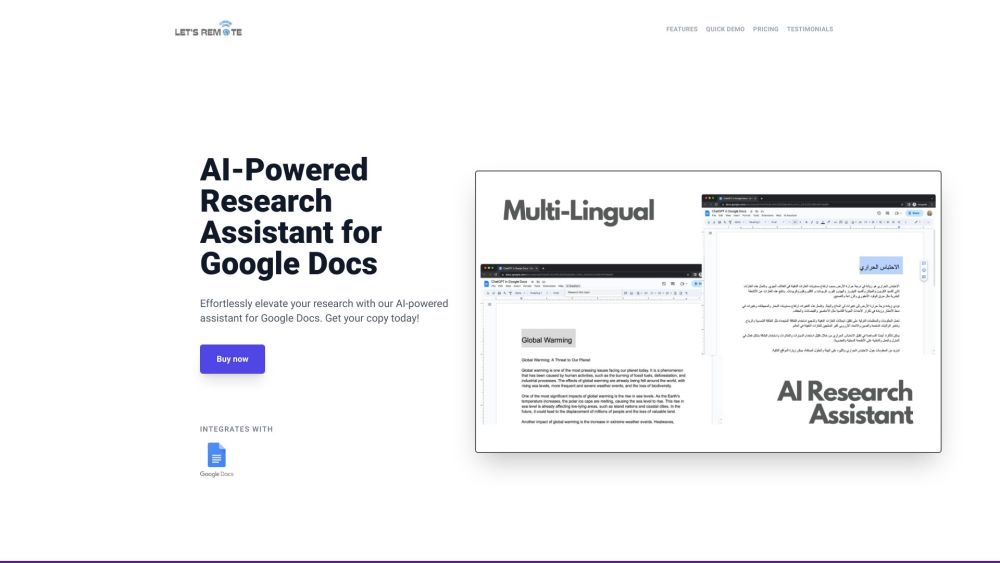
The Google Docs AI-Assistant extension is designed to enhance writing, research, and editing within Google Docs. It offers features such as AI-powered text generation, customizable settings, multi-lingual support, and top-notch security. The extension leverages the ChatGPT API to facilitate research directly within Google Docs, making the writing and editing process more efficient. It aims to improve productivity and writing skills by providing high-quality text generation and research assistance.
How to Use
How to use Google Docs AI-Assistant Extension? To get started, install the extension on Google Docs via App Scripts, add your OpenAI API key to the extension, and then begin researching and generating text directly within your documents.
Core Features
Use Cases
- 1 Google Docs AI-Assistant Extension's Use Cases
- 2 Generating high-quality text for various writing tasks.
- 3 Conducting research directly within Google Docs.
- 4 Editing and improving existing text.
- 5 Saving time on content creation.
Frequently Asked Questions
The Google Docs AI-Assistant extension adds AI-powered writing, research, and editing help directly inside Google Docs. Install it from the Chrome Web Store and start using it immediately in any document.
Quick Info
- Category
- Writing & Editing
- Subcategory
- AI Writing Assistants
- Added on
- May 30 2023
- Monthly Visits
- --
- Rating
- 5.0 / 5.0
- Saved
- 1