Flux AI - Chrome Extension
Flux AI is an image generation model focused on photorealism and creative control.
Screenshots
Overview
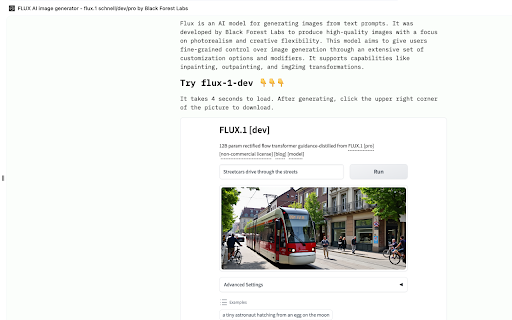
Flux AI's Chrome Extension puts a powerful image generation model right into your browser, with a special emphasis on photorealism and creative control. Instead of opening a separate website, you can generate images on the fly—right from the toolbar—using the same advanced technology known for producing lifelike results. The extension also offers granular settings for fine-tuning aspects like lighting, texture, and composition. It's perfect for designers, writers, and bloggers who want quick access to high-quality, realistic imagery while browsing or creating content.
How to Use
Install the Flux AI Chrome Extension from the web store, then open it via the browser toolbar. Enter a text prompt describing the photorealistic image you want, and use the creative controls to adjust detail, lighting, or composition. Click generate to create the image right in your browser. Use the extension on any webpage for quick access, then save the output locally.
Core Features
Use Cases
- 1 Generating photorealistic images from text descriptions for various creative projects.
Frequently Asked Questions
What is Flux AI?
What are the key features of Flux AI?
Quick Info
- Category
- Image Generation & Editing
- Subcategory
- Text to Image
- Added on
- Aug 08 2024
- Monthly Visits
- 76
- Rating
- 0.0 / 5.0





