Flux AI
A suite of AI-powered image and video generation tools.
Screenshots
Overview
Flux AI offers a comprehensive suite of AI-powered tools for generating both images and videos. Under one roof, you can create static artwork from text prompts, animate stills into short clips, or edit both media types with intelligent assistance. This all-in-one approach is designed for content creators, social media managers, and independent filmmakers who want a versatile creative studio that can handle multiple stages of visual content production, from initial ideation to final output, in a single streamlined interface.
How to Use
Visit the Flux AI website (grokimagegenerator.net or flux-ai.io), select a tool, and follow the prompts to input text or upload images. The AI will generate the desired output based on your input.
Core Features
Use Cases
- 1 Generate stunning visuals from text prompts
- 2 Create unique videos from photos
- 3 Design custom AI avatars
- 4 Produce eye-catching posters
- 5 Transform photos into cartoons
- 6 Generate realistic images
- 7 Create Ghibli-style artwork
- 8 Design AI action figures
- 9 Virtually try on clothes
- 10 Generate images using Lora models
- 11 Flawless inpainting
- 12 Enhance and analyze images
- 13 Generate Anime Images
- 14 Generate Medal Images
- 15 Generate New Year Avatars
- 16 Generate Photo to Video
- 17 Generate Kissing Videos
- 18 Generate Action Figure Videos
- 19 Generate Ghibli Art Videos
- 20 Generate New Year Images
- 21 Reimagine Images
- 22 Recraft Images
- 23 Edit Images
- 24 Generate Studio Ghibli Images
- 25 Generate Barbie Doll Box Images
- 26 Generate Plush Toy Images
- 27 Generate Simpsons Style Images
Frequently Asked Questions
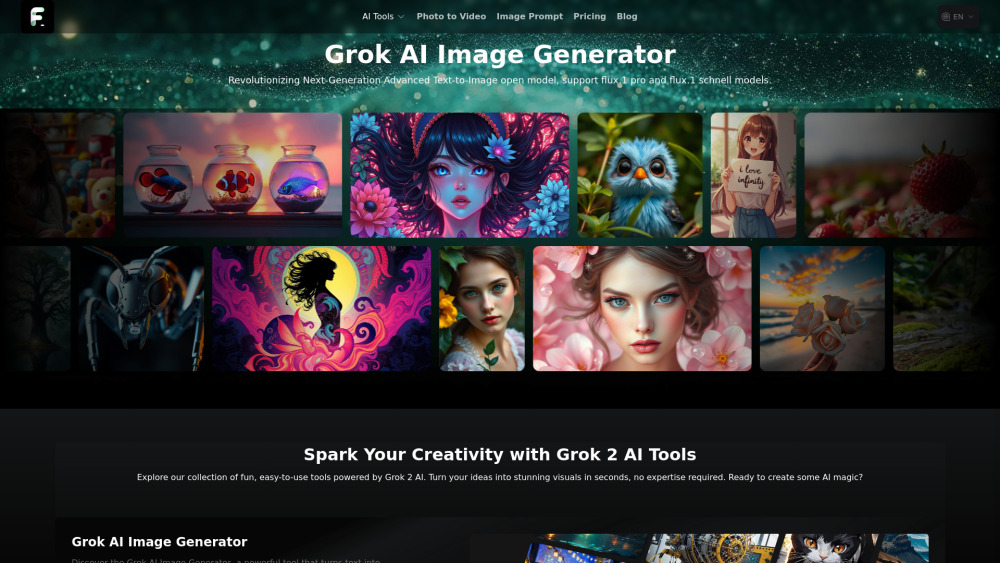
Q:What is Grok AI Image Generator? A:It is an AI image generator in the Flux AI suite that creates images from text prompts. Q:What are the main features of Grok AI Image Generator? A:Key features include text-to-image generation, multiple styles, fast output, and editing tools. Q:How do I use Grok AI Image Generator? A:Type a descriptive prompt, pick a style, then generate and download your image. Q:What pricing plans does Grok AI Image Generator offer? A:It offers tiered plans with credits; check the pricing page for current options. Q:Is there a free plan for Grok AI Image Generator? A:Yes, a free tier or trial is typically available with limited credits. Q:How does Grok AI Image Generator compare to other AI image generators? A:It offers competitive speed and quality with an easy interface suited to quick creative work. Q:Can I use Grok AI Image Generator for commercial projects? A:Commercial use depends on the plan's license, so review the terms before commercial use. Q:Is Grok AI Image Generator open-source? A:No, it is a hosted proprietary service rather than open-source software. Q:How often is Grok AI Image Generator updated? A:The models and features are updated periodically to improve quality. Q:Is there a Grok AI Image Generator mobile app? A:Availability varies; the service is primarily web-based and mobile-browser friendly. Q:How can I get support for Grok AI Image Generator? A:Support is available through the help or contact page on the Flux AI website.
Quick Info
- Category
- Image Generation & Editing
- Subcategory
- Text to Image
- Added on
- Sep 04 2024
- Monthly Visits
- 20.9K
- Rating
- 5.0 / 5.0




