ChatGPT Chrome Extension - Chrome Extension
A Chrome extension integrating ChatGPT for text modification, translation, and content generation.
Screenshots
Overview
This Chrome extension enhances your browsing experience by integrating ChatGPT directly into your workflow. It allows you to select text on any webpage, automatically paste it into the extension's popup, and then use ChatGPT to modify, translate, or generate content based on that text. The extension also offers customizable settings, such as temperature control for creative output, multiple completions, and the ability to share suggestions on Twitter.
How to Use
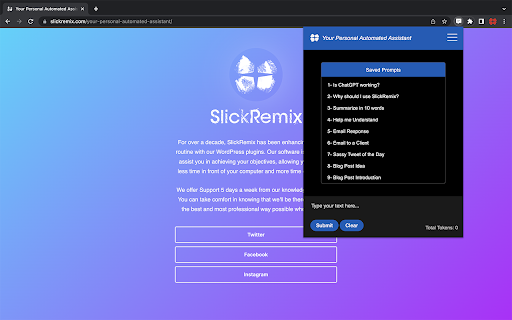
How to use ChatGPT Chrome Extension ai chrome extension? Select text on a webpage, click the extension icon, and the text will appear in the popup. Add a prompt after the 'STOP:' marker, submit, and choose from the generated suggestions. Clicking a suggestion replaces the selected text on the page (if editable) and copies it to your clipboard.
Core Features
Use Cases
- 1 ChatGPT Chrome Extension ai chrome extension's Use Cases
- 2 Modifying text on websites
- 3 Creating or modifying code
- 4 Writing creative tweets
- 5 Creative writing in emails or text messages
- 6 Quickly translating text
Frequently Asked Questions
Q:Do I need an OpenAI API key to use this extension? A:Yes, you provide your own OpenAI API key to power the extension. Q:What is the maximum number of tokens allowed per prompt? A:Token limits follow the constraints of the OpenAI model you select. Q:Can I customize the appearance of the extension popup? A:Yes, appearance settings can be personalized to your preference. Q:How do I save and organize my favorite prompts? A:Use the built-in prompt library within the extension to save and organize prompts.
Quick Info
- Category
- Writing & Editing
- Subcategory
- AI Writing Assistants
- Added on
- May 30 2023
- Monthly Visits
- 26
- Rating
- 5.0 / 5.0
- Reviews
- 2


