Auri AI
AI-powered keyboard and assistant for writing, translation, and productivity.
Screenshots
Overview
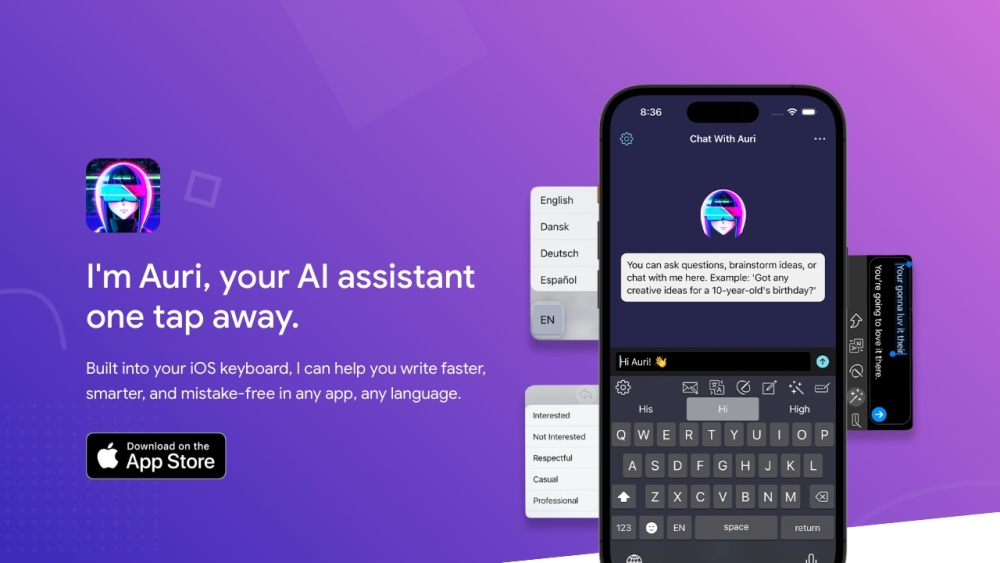
Auri AI turns your keyboard into a full-fledged AI assistant, bringing writing, translation, and productivity support directly to your fingertips. Integrated as a keyboard and companion app, it suggests text completions, fixes grammar, and offers instant translation across languages as you type. This makes it a practical companion for mobile communication and fast-paced work where switching between apps is cumbersome. Whether you are drafting emails in foreign languages or composing longer messages, Auri AI helps streamline typing and reduce errors, catering to bilingual users, professionals, and anyone seeking smoother, more efficient text input.
How to Use
Install Auri AI as your keyboard replacement on your mobile device. Use it for typing, writing, or translation directly in any app. Activate the assistant by tapping the keyboard icon for AI suggestions, corrections, or quick translations to boost productivity.
Core Features
Use Cases
- 1 Auri AI's Use Cases
- 2 Writing emails, essays, and blog posts
- 3 Translating text in real-time
- 4 Paraphrasing sentences and paragraphs
- 5 Checking grammar and spelling
- 6 Transcribing voice memos and meetings
- 7 Creating meeting notes
- 8 Brainstorming ideas with AI Chat
Frequently Asked Questions
Does Auri AI Keyboard work in all apps?
What data do you collect?
Does the keyboard have access to any sensitive data?
Can I use Auri AI without paying?
How do I switch my default keyboard to Auri AI?
Quick Info
- Category
- Writing & Editing
- Subcategory
- AI Writing Assistants
- Added on
- Mar 07 2023
- Monthly Visits
- --
- Rating
- 5.0 / 5.0
- Reviews
- 1
- Saved
- 3


