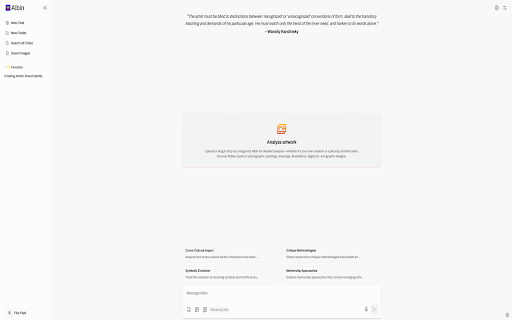
Albin - Chrome Extension
AI art mentor for in-depth analysis, feedback, and assistance in visual arts.
Screenshots
Overview
Albin is a Chrome extension designed as an AI art mentor for anyone working in visual arts. It provides in-depth analysis of your artwork, constructive feedback, and practical assistance to help you improve your craft. Whether you are a beginner learning the fundamentals or an experienced artist refining your style, Albin offers guidance directly in your browser. It functions like a knowledgeable companion that supports your creative process, making art education more accessible and personalized.
How to Use
Install the Albin extension, then open it on any webpage or image. Upload or point to your artwork, and ask for a critique, specific feedback, or guidance on technique and composition. Use the feedback to refine your work iteratively.
Core Features
Use Cases
- 1 Albin ai chrome extension's Use Cases
- 2 Analyzing the technique and style of a painting to provide personalized feedback to the artist.
- 3 Helping a curator plan an exhibition by providing thematic coherence and generating exhibition text.
- 4 Assisting an art teacher in developing lesson plans with in-depth analyses of artworks.
- 5 Enriching art and blog posts with comprehensive artwork analysis for art critics and bloggers.
Frequently Asked Questions
Albin is an AI art mentor that provides in-depth analysis, constructive feedback, and assistance for your visual artwork. The web extension is easy to use and offers a free plan to get started.
Quick Info
- Category
- Writing & Editing
- Subcategory
- AI Writing Assistants
- Added on
- Sep 17 2024
- Monthly Visits
- 1
- Rating
- 0.0 / 5.0



