Albin - Chrome Extension
AI art mentor for in-depth analysis, feedback, and assistance in visual arts.
0.0
Rating
1
Visits/mo
Screenshots
Overview
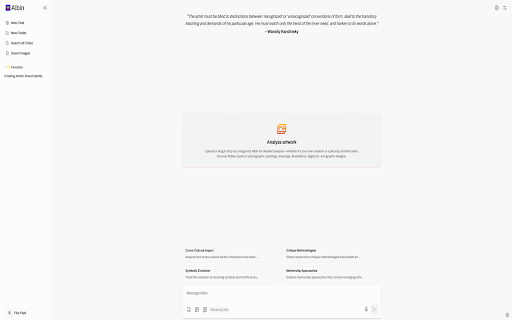
Albin is an AI mentor, muse, and assistant designed for the world of visual arts. It provides in-depth analysis of artworks, offers personalized feedback, and assists with various tasks such as portfolio enhancement, exhibition planning, and content creation. The Albin web app, paired with a browser extension, allows users to easily send images for analysis, making it a valuable tool for artists, curators, teachers, critics, and students.
How to Use
2. Visit www.albin.ai and sign up for an account (a free plan is available). 3. Right-click on any image online and select the Albin button to send it for analysis.
Core Features
Albin ai chrome extension's Core Features In-depth artwork analysis Personalized feedback on technique and style Assistance with portfolio creation and presentation Exhibition planning support Content creation for art critics and bloggers
Use Cases
- 1 Albin ai chrome extension's Use Cases
- 2 Analyzing the technique and style of a painting to provide personalized feedback to the artist.
- 3 Helping a curator plan an exhibition by providing thematic coherence and generating exhibition text.
- 4 Assisting an art teacher in developing lesson plans with in-depth analyses of artworks.
- 5 Enriching art and blog posts with comprehensive artwork analysis for art critics and bloggers.
Frequently Asked Questions
Albin is an AI art mentor that provides in-depth analysis, constructive feedback, and assistance for your visual artwork. The web extension is easy to use and offers a free plan to get started.
For details, please visit the official website of Albin - Chrome Extension.
Quick Info
- Category
- Writing & Editing
- Subcategory
- AI Writing Assistants
- Added on
- Sep 17 2024
- Monthly Visits
- 1
- Rating
- 0.0 / 5.0


