ChatGPT Assistant - Chrome Extension
Browser extension to enhance GPT chat with prompts, tools, and learning resources.
Screenshots
Overview
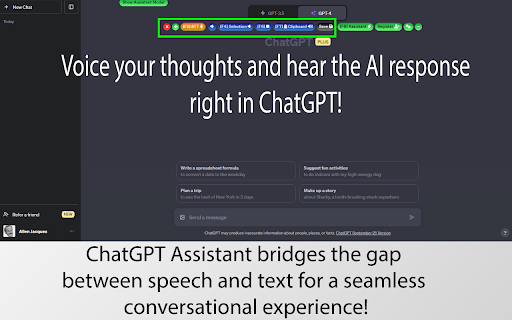
The ChatGPT Assistant Chrome extension enhances the standard GPT chat experience by layering on additional prompts, tools, and curated learning resources. Instead of just providing a blank chat window, this tool helps users get more out of their interactions with ChatGPT by offering pre-designed prompts for common tasks and supplementary learning materials. It's particularly beneficial for those who feel they aren't maximizing the AI's potential or who want more structured guidance while using it. The extension aims to be a productivity booster, saving users time in crafting complex queries and enriching their overall AI conversation experience.
How to Use
Install the extension and click its icon to open a chat panel. Use it to enhance your ChatGPT experience with ready-made prompts, helpful tools, and educational resources—all accessible from one place alongside your conversations.
Core Features
Use Cases
- 1 ChatGPT Assistant ai chrome extension's Use Cases
- 2 Personalize interactions with ChatGPT using curated prompts.
- 3 Create custom instructions for specific conversation threads.
- 4 Efficiently manage and collect prompts from various online sources.
- 5 Break down large documents for processing by GPT.
- 6 Save valuable conversation threads for future reference.
Frequently Asked Questions
ChatGPT Assistant is a browser extension that enhances ChatGPT with extra prompts, tools, and learning resources. It does not store your browsing history or collect clipboard data, and its Community Library of Prompts lets you discover and share useful prompts.
Quick Info
- Category
- Writing & Editing
- Subcategory
- AI Writing Assistants
- Added on
- Sep 09 2024
- Monthly Visits
- 47
- Rating
- 5.0 / 5.0
- Reviews
- 1






