OneClick AI - Chrome Extension
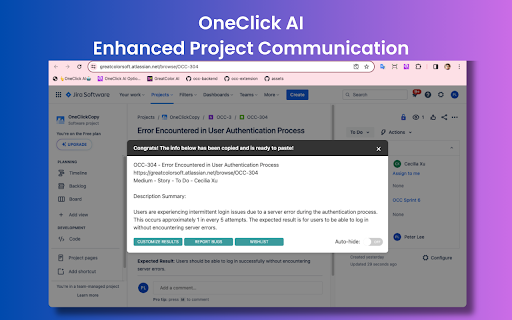
OneClick AI streamlines workflows by extracting and summarizing content with a single click.
Screenshots
Overview
OneClick AI is a Chrome extension built to simplify your online workflow by letting you extract and summarize content instantly. With a single click, the tool captures text from web pages, articles, or documents and condenses it into key points, saving you from reading lengthy material. It's especially useful for researchers, students, and busy professionals who regularly process large volumes of information. By removing the friction of manual copy-pasting and note-taking, OneClick AI helps users quickly grasp the essence of any online content, making browsing more efficient and freeing up time for higher-level tasks.
How to Use
Install OneClick AI from the Chrome Web Store, then click its icon on any webpage. The extension instantly extracts the page’s main content and generates a concise summary for you. Use the output for quick research, note-taking, or sharing highlights without reading the full text.
Core Features
Use Cases
- 1 OneClick AI ai chrome extension's Use Cases
- 2 Sharing project updates from platforms like Jira or Slack
- 3 Disseminating news articles from sources such as CNN or Fox
- 4 Managing comments on tweets
- 5 Simplifying knowledge sharing within organizations
- 6 Empowering individual research efforts
Frequently Asked Questions
Is OneClick AI free to use?
What browsers are supported by OneClick AI?
Which AI model does OneClick AI use?
How often is the extension updated?
Quick Info
- Category
- Writing & Editing
- Subcategory
- AI Writing Assistants
- Added on
- Apr 21 2026
- Monthly Visits
- 57
- Rating
- 5.0 / 5.0
- Reviews
- 4



