Query Kitty - Chrome Extension
A ChatGPT-powered Chrome extension for content transformation and productivity enhancement.
Screenshots
Overview
Query Kitty is a Chrome extension that harnesses the capabilities of ChatGPT to supercharge your content-related tasks directly in your browser. Whether you need to rewrite a paragraph, generate ideas, or refine text on any webpage, this tool is built to help you transform content quickly and boost everyday productivity. Because it operates as a browser extension, it works seamlessly alongside websites you're already using, eliminating tab-switching and workflow interruptions. It's particularly valuable for content creators, students, and office workers who regularly write, edit, or process information online. With Query Kitty, you get a practical AI assistant that's always one click away.
How to Use
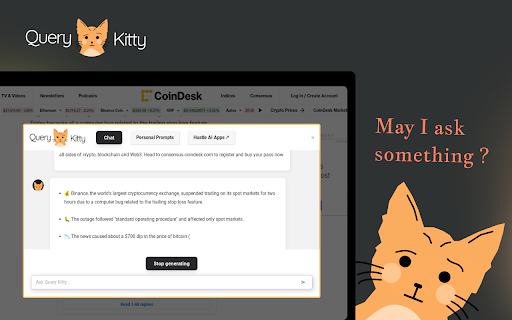
Add Query Kitty to Chrome, then highlight any text on a webpage and click the extension icon to transform it—whether summarizing, rewriting, or translating. You can also use the chat panel to ask ChatGPT questions about the page content for enhanced productivity.
Core Features
Use Cases
- 1 Query Kitty ai chrome extension's Use Cases
- 2 Transform selected text into social media posts
- 3 Generate newsletters from website content
- 4 Create articles from selected text
- 5 Get quick answers to questions related to website content
- 6 Automate spreadsheet tasks with formulas and scripts
- 7 Generate code snippets for web development projects
Frequently Asked Questions
What can Query Kitty do?
How do I use Query Kitty?
Does Query Kitty save my prompts?
Quick Info
- Category
- Writing & Editing
- Subcategory
- AI Writing Assistants
- Added on
- Apr 30 2023
- Monthly Visits
- 140
- Rating
- 5.0 / 5.0
- Reviews
- 1
- Saved
- 1



