Quicky AI - Chrome Extension
Chrome extension for AI-powered web browsing.
Screenshots
Overview
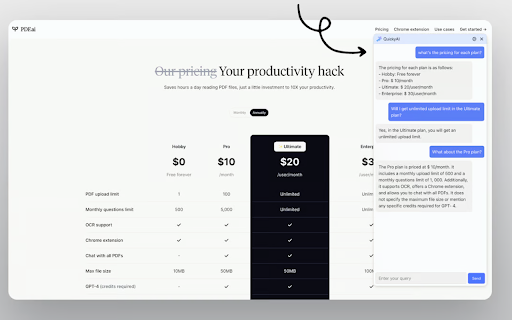
Quicky AI is a Chrome extension that brings the power of artificial intelligence directly into your browsing routine. It's designed to help you work smarter as you navigate the web, offering AI-powered assistance for tasks like summarizing articles, drafting emails, or quickly answering questions — all without leaving your current tab. Instead of switching between tools and copy-pasting text, you get immediate AI support contextually within your browser. For researchers, writers, and everyday internet users, Quicky AI aims to streamline online workflows by making everyday browsing more productive, effortless, and responsive to whatever content you're engaging with at that moment.
How to Use
Install Quicky AI from the Chrome Web Store, then use its toolbar icon or keyboard shortcut to call up AI assistance. Highlight text, ask questions, or request summaries directly on any webpage, and get instant AI-driven answers without leaving your browser.
Core Features
Use Cases
- 1 Quicky AI ai chrome extension's Use Cases
- 2 Rewording text for clarity
- 3 Generating quick replies to emails and social media posts
- 4 Summarizing long articles or web pages
- 5 Understanding complex topics
- 6 Correcting grammatical errors in writing
Frequently Asked Questions
What can Quicky AI do?
How do I use Quicky AI?
What new features are being developed for Quicky AI?
Quick Info
- Category
- Writing & Editing
- Subcategory
- AI Writing Assistants
- Added on
- Jul 19 2024
- Monthly Visits
- 192
- Rating
- 4.5 / 5.0
- Reviews
- 11