TrendsCritical Highlighter - Chrome Extension
Chrome extension for web highlighting with AI and trend analysis.
Screenshots
Overview
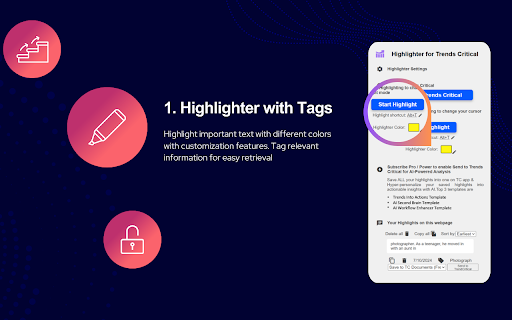
The TrendsCritical Highlighter is a Chrome extension designed to enhance web highlighting with AI and trend analysis. It allows users to make private highlights on web pages, which are then stored locally. The extension also integrates with TrendsCritical.com, enabling users to save highlights for further AI analysis and leverage curated workflow, lifestyle, and productivity trends.
How to Use
How to use TrendsCritical Highlighter ai chrome extension? Install the Chrome extension, log in (optional), and use one of three methods to highlight text: keyboard shortcut, right-click menu, or 'Start/End Highlight' buttons. Manage, customize, and save highlights to TrendsCritical.com for AI analysis.
Core Features
Use Cases
- 1 TrendsCritical Highlighter ai chrome extension's Use Cases
- 2 Highlighting key information on web pages for research
- 3 Analyzing highlights with AI to extract insights
- 4 Transforming trend research into actionable strategies
- 5 Optimizing workflows with AI and productivity trends
Frequently Asked Questions
Q:Do I need a ChatGPT/Claude account to use the AI features? A:Yes, the AI features require you to sign in with your own ChatGPT or Claude account. Q:What language models are used for AI analysis? A:It uses models like ChatGPT and Claude to power its trend and text analysis. Q:Can the top three templates on Documents change? A:Yes, the template rankings can change over time based on usage and updates.
Quick Info
- Category
- Writing & Editing
- Subcategory
- AI Writing Assistants
- Added on
- Jul 25 2024
- Monthly Visits
- 20
- Rating
- 0.0 / 5.0


