Voice Writer - Chrome Extension
Voice Writer transcribes speech to text with AI-powered grammar correction for faster writing.
Screenshots
Overview
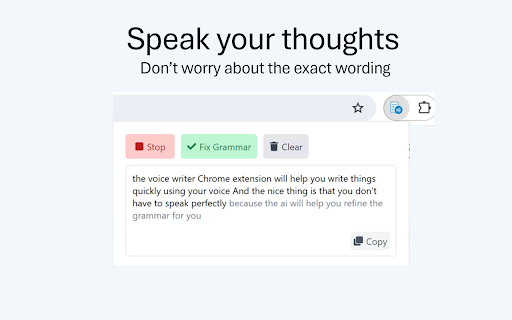
Voice Writer is a Chrome extension that turns spoken words into written text, and then uses AI-powered grammar correction to refine what you've said. It's built for faster, hands-free writing—just dictate, and the extension transcribes your speech while automatically cleaning up errors and improving clarity. This makes it an ideal companion for bloggers, professionals, and students who want to draft documents quickly without typing. By combining accurate speech recognition with intelligent text editing, Voice Writer helps you produce polished writing in significantly less time, right within your browser.
How to Use
Add the Voice Writer extension to Chrome, then click its icon and allow microphone access. Press the record button to start speaking, and your words will be transcribed into any text field on the page. AI grammar correction automatically fixes errors as you go, producing clean text ready for use.
Core Features
Use Cases
- 1 Voice Writer ai chrome extension's Use Cases
- 2 Composing emails and Slack messages
- 3 Writing blog posts
- 4 Creating documents on any website
Frequently Asked Questions
Where does Voice Writer work?
Is there a free trial available?
How can I provide feedback or get support?
Quick Info
- Category
- Writing & Editing
- Subcategory
- AI Writing Assistants
- Added on
- Aug 07 2025
- Monthly Visits
- 369
- Rating
- 5.0 / 5.0
- Reviews
- 8






