ChatGPT Sidebar - Chrome Extension
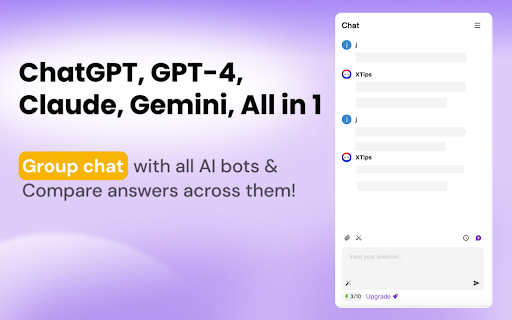
Enhances workflow with AI search, read, and write using multiple AI models.
Screenshots
Overview
ChatGPT Sidebar is a Chrome extension designed to streamline your browsing workflow by embedding AI capabilities directly into your browser. It allows you to search, read, and write more efficiently using multiple AI models, all from a convenient sidebar. Whether you're researching topics, summarizing articles, or drafting responses, this tool puts powerful AI assistance at your fingertips without switching tabs. It's ideal for professionals, students, and heavy internet users who want to boost productivity and simplify daily online tasks.
How to Use
Install the extension, then use the sidebar panel to ask questions, summarize pages, or generate text while browsing. Choose between different AI models in the settings to suit your task, and use the read and write features directly on any webpage.
Core Features
Use Cases
- 1 Using AI to summarize long articles while browsing.
- 2 Generating text for emails or documents with AI assistance.
- 3 Searching for information using advanced AI models.
Frequently Asked Questions
What AI models are integrated into ChatGPT Sidebar?
What are the main functions of ChatGPT Sidebar?
Quick Info
- Category
- Writing & Editing
- Subcategory
- AI Writing
- Added on
- Jun 26 2024
- Monthly Visits
- 21
- Rating
- 5.0 / 5.0
- Reviews
- 23