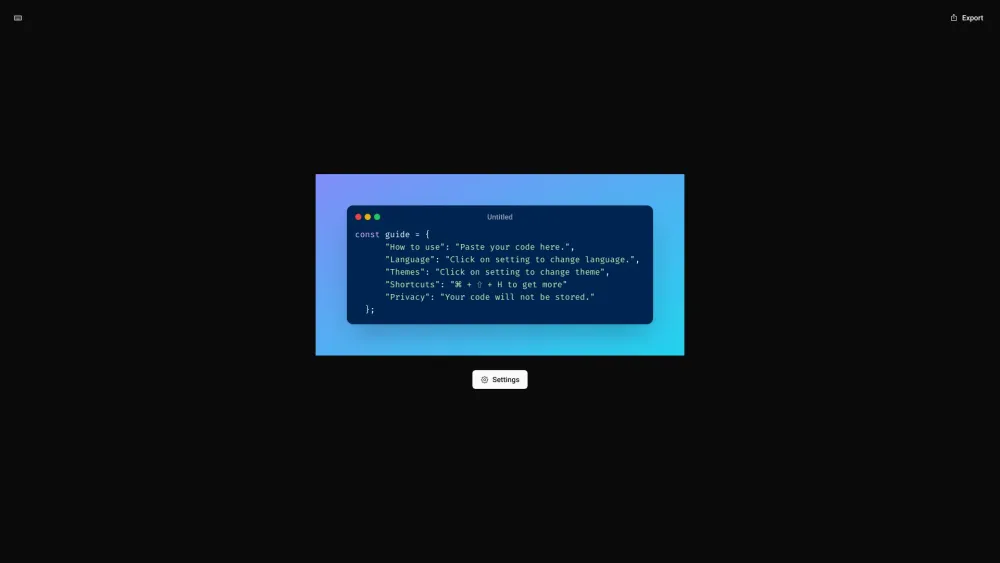
Code Screenshot
Secure tool to create stunning code screenshots with simplicity and privacy.
Screenshots
Overview
Code Screenshot is a secure, simple tool designed to create beautiful, high-quality screenshot images of your source code. It prioritizes privacy, ensuring that pasted code is not stored on servers; everything is processed locally in your browser. Users can customize the appearance with different themes, fonts, and syntax highlighting to produce polished visuals suitable for presentations, documentation, or social media. The tool fills the niche for developers who need clean, shareable code snapshots while maintaining trust through a no-server, no-log guarantee. It combines aesthetic flexibility with a core commitment to user data security and simplicity.
How to Use
Open the Code Screenshot website and paste your code into the editor. Select a theme, background color, and font from the customization panel. Adjust the window chrome or padding to your liking. Click the capture button and download the PNG image.
Core Features
Use Cases
- 1 Creating visually appealing code snippets for presentations
- 2 Sharing code examples on social media
- 3 Generating code images for documentation
Frequently Asked Questions
What does Code Screenshot do exactly?
Is my code secure when using this tool?
Do I need to install anything to use Code Screenshot?
Quick Info
- Category
- Image Generation & Editing
- Subcategory
- Text to Image
- Added on
- May 14 2024
- Monthly Visits
- --
- Rating
- 5.0 / 5.0
- Saved
- 2





