Text to Image
Image to Image
AI Texture Generator
AI Outpainting
AI Inpainting
AI Image Generator
AI Image Enhancer
AI Image Combiner
AI Expand Image
AI Background Remover
AgentBrush
Your coding agent's missing tool: image generation
5.0
Rating
1
Reviews
--
Visits/mo
Screenshots
Overview
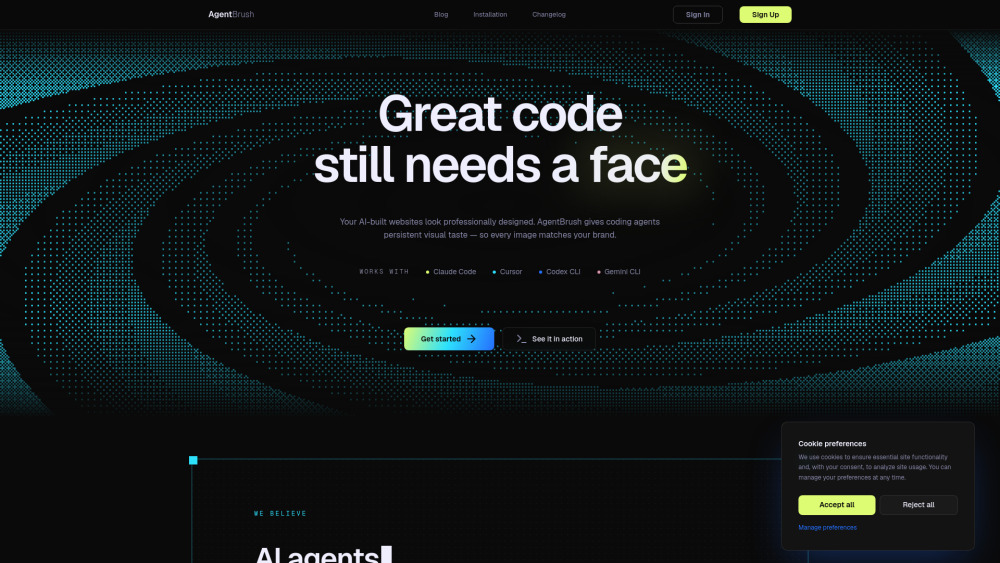
AgentBrush is a specialized tool designed to fill a gap in coding workflows by adding image generation capabilities. It integrates seamlessly into developer environments, allowing coding agents to create visual assets on demand. This tool is ideal for developers and tech teams who need to generate images, mockups, or diagrams without leaving their coding interface, enhancing productivity and creative flexibility.
How to Use
Install AgentBrush into your coding environment via your agent's plugin manager. Once integrated, invoke it by sending a text prompt describing the image you need; the tool generates the image and returns it directly to your workspace for immediate use in your project.
Core Features
In-agent image generation Seamless coding workflow integration Fast image creation Developer-focused design tool Enhances agent outputs No external API needed
Use Cases
- 1 Generate full product photography and ad campaigns without a studio
- 2 Create game assets and pixel-art sprites for Unity, Godot or Phaser
- 3 Produce on-brand marketing visuals: hero images, OG cards, app icons, mascots, social creatives
- 4 Generate OG and social preview images so shared links do not render as blank grey boxes
- 5 Make logos and app icons in-flow while you build
- 6 Batch-generate consistent images, one per product or SKU
- 7 Create multilingual marketing creatives with legible headlines
- 8 Produce transparent PNG cut-outs for marketplace or store listings
Frequently Asked Questions
What is AgentBrush?
AgentBrush is an image generation tool built for coding agents, letting AI coding assistants create images as part of their workflow.
Which tools and agents does it work with?
It works with popular coding agents and tools, including Claude Code, Cursor, and other AI coding assistants.
Is there a free plan?
Yes, AgentBrush offers a free plan with a limited number of generations per month, while paid plans provide more capacity.
How does pricing work, and what is a token?
Pricing is token-based: each generation consumes a certain number of tokens, and you buy token packages that last as long as you need.
How does it keep my images on-brand?
You can provide brand styles, color palettes, and reference images that AgentBrush applies to every generation, keeping your outputs consistent.
Can I edit just one part of an image?
Yes, AgentBrush supports targeted edits that modify only the specific region you select while leaving the rest of the image untouched.
Where do the generated files go?
Generated images are saved to an output folder you configure, and the file paths are returned to your coding agent for use.
#Paid
#Website
#AI Image Generator
#AI Outpainting
#AI Developer Tools
#Text to Image
#Object Remover AI
#Image to Image
#AI Texture Generator
#AI Realistic Image Generator
#AI Inpainting
#AI Background Generator
#AI Image Upscaler
#AI Image Sharpening
#AI Image Enhancer
#AI Image Combiner
#AI Expand Image
#AI Background Remover
#AI Productivity Tools
Quick Info
- Category
- Image Generation & Editing
- Subcategory
- Text to Image
- Added on
- Jun 17 2026
- Monthly Visits
- --
- Rating
- 5.0 / 5.0
- Reviews
- 1


