Bing AI Image Generator - Chrome Extension
AI-powered tool to generate images from text prompts.
Screenshots
Overview
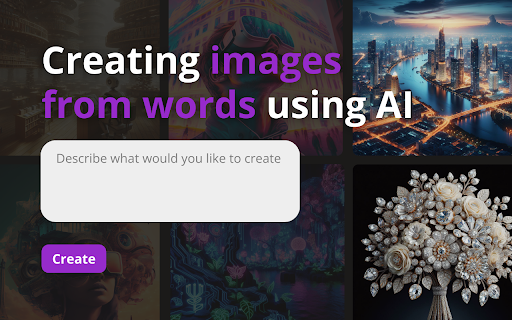
The Bing AI Image Generator - Chrome Extension is a convenient browser tool that brings Microsoft's powerful image generation capabilities directly to your workflow. It adds a toolbar button that opens a prompt box, allowing users to generate images from text without leaving the current webpage. The extension leverages the DALL-E style model integrated into Bing, producing high-quality images based on descriptive prompts. It's especially useful for quick visual brainstorming, creating illustrations for notes, or grabbing graphics for presentations. The extension saves generated images directly to your download folder and syncs with your Bing account for history. With simple installation and no learning curve, it democratizes AI image creation for casual users and professionals alike.
How to Use
To use the Bing AI Image Generator extension, install it from the Chrome Web Store and pin it. Click the icon, type your image prompt, and press Enter. The image will generate in a popup panel; right-click to save or copy it.
Core Features
Use Cases
- 1 Generating concept art for creative projects
- 2 Creating product sketches for design inspiration
- 3 Visual search using uploaded images
Frequently Asked Questions
How does this Chrome Extension compare to using Bing's website directly?
Is the extension free to use?
Can I use the generated images for commercial purposes?
Quick Info
- Category
- Image Generation & Editing
- Subcategory
- Text to Image
- Added on
- Apr 04 2024
- Monthly Visits
- 843
- Rating
- 5.0 / 5.0
- Reviews
- 5


