Transcribe Video AI: Transcribe Video to Text Online
Free online video-to-text converter with subtitles and summaries.
Screenshots
Overview
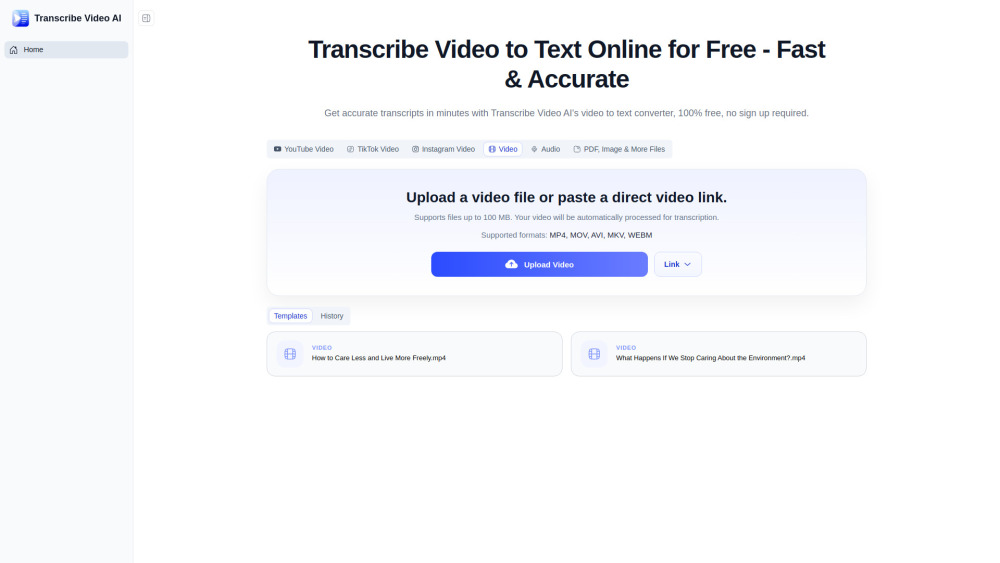
Transcribe Video AI is a free, web-based tool that converts video content into accurate text. Beyond simple transcription, it generates subtitles and concise summaries, making video content easier to repurpose, search, and share. It's particularly useful for content creators, journalists, and students who need to extract key information from interviews, lectures, or meetings quickly. The online platform requires no software installation, offering a straightforward workflow for turning spoken video into organized, readable text. It simplifies the entire video-to-text process in one convenient location.
How to Use
Upload a video file to the online converter, and it will automatically extract the spoken content into text. You can then download the transcript as subtitles or a text file, or generate a summary of the video's key points.
Core Features
Use Cases
- 1 Transcribing Zoom calls and lecture recordings to organize notes and identify speakers efficiently.
- 2 Generating multilingual transcripts and subtitles for YouTube videos to save content creation time.
- 3 Converting long videos or TED talks into clear and structured summaries for quick exam preparation and study.
Frequently Asked Questions
Is Transcribe Video AI free to use?
Can I transcribe video to text without logging in?
Is there a file size limit for video transcription?
Can I use it for YouTube videos?
Quick Info
- Category
- Voice Generation & Conversion
- Subcategory
- Audio To Text AI
- Added on
- Jun 26 2026
- Monthly Visits
- --
- Rating
- 5.0 / 5.0
- Saved
- 1