Transkriptor
AI-powered speech-to-text browser extension for quick and secure transcriptions.
Screenshots
Overview
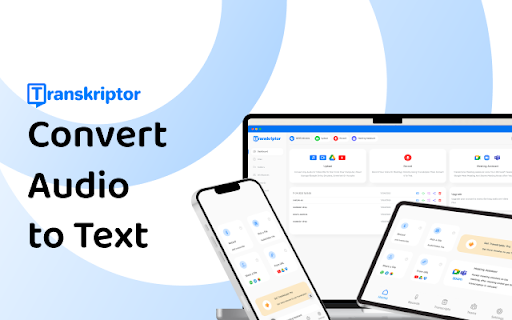
Transkriptor is an AI-powered speech-to-text browser extension for quick and secure transcription of virtually any audio format. Install it, and audio files convert into text in minutes, with extras like subtitle generation and automatic meeting notes. Transcripts can be translated into more than 100 languages, useful for international teams and multilingual content. Transkriptor is available as a mobile app, Chrome extension, and integration with platforms like Zoom, Microsoft Teams, and Google Meet, so calls and meetings can be transcribed without leaving the apps you use.
How to Use
Install the Transkriptor browser extension and grant microphone permission. Click the extension icon to start recording, then speak or play audio in your tab. The tool transcribes the speech securely and quickly, and you can copy or save the text.
Core Features
Use Cases
- 1 Transcribing meetings, lectures, and interviews
- 2 Generating subtitles for video content
- 3 Creating accessible content for the hearing impaired
- 4 Converting audio notes into text for legal and medical documentation
Frequently Asked Questions
How accurate is Transkriptor?
What file formats does Transkriptor support?
Does Transkriptor offer a free trial?
Can Transkriptor transcribe audio from links?
Quick Info
- Category
- Voice Generation & Conversion
- Subcategory
- Audio To Text AI
- Rating
- 5.0 / 5.0