LazyTyper
Free, fast, accurate, multilingual voice typing app with 12 AI models.
Screenshots
Overview
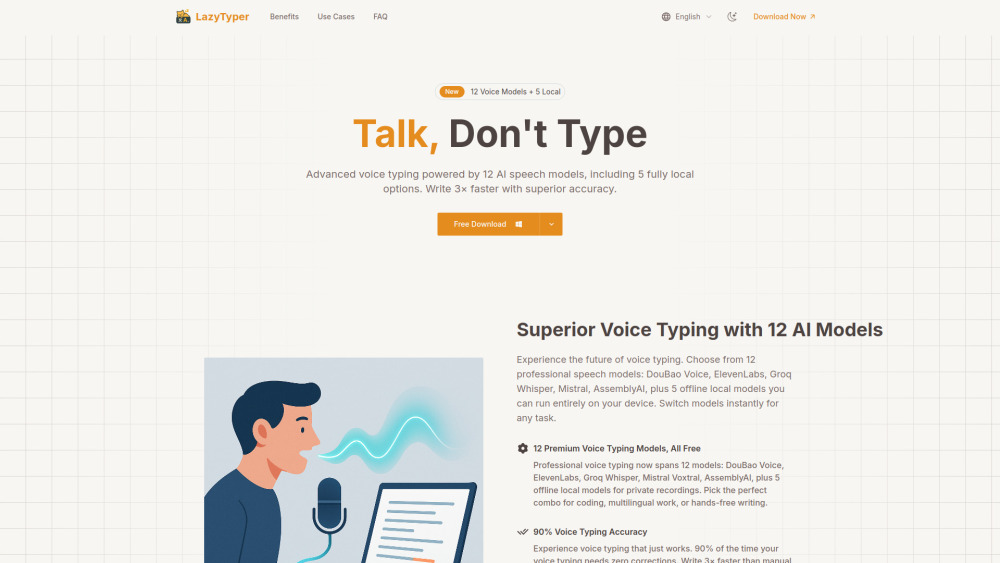
LazyTyper is a free voice typing application that turns speech into text about three times faster than manual typing. Powered by Whisper and other advanced speech models, it offers 12 professional options, including five that run fully on-device for privacy and offline use. It handles multilingual dictation, different accents, and technical terms, suiting writers, students, developers, and anyone who prefers speaking over typing. LazyTyper is free with no ads, and privacy is central: voice data goes directly to the API provider you choose and is never stored on LazyTyper's servers.
How to Use
Open the app, select your language and one of 12 AI models, then start speaking. The voice typing transcribes in real time—edit mistakes manually, copy the text, or save it to your device for reuse.
Core Features
Use Cases
- 1 Writing emails, documents, notes, and chat
- 2 Coding documentation and variable name formatting
- 3 Taking research notes for academic work
- 4 Transcribing interview transcripts
- 5 Multilingual work, including mixed-language dictation
- 6 Hands-free writing and content creation
- 7 Private recordings using local models
Frequently Asked Questions
How much does LazyTyper cost?
How accurate is the transcription?
Can I really mix different languages in one sentence?
What makes LazyTyper different from other voice typing tools?
Do I need an internet connection to use LazyTyper?
Is the application heavy or will it slow down my computer?
Is my data and privacy protected?
What platforms is LazyTyper available on?
Who is LazyTyper for?
Which speech recognition engine should I choose?
Quick Info
- Category
- Voice Generation & Conversion
- Subcategory
- Audio To Text AI
- Added on
- Dec 09 2025
- Monthly Visits
- 9.4K
- Rating
- 5.0 / 5.0
- Saved
- 1





