Pixno
AI note-taking assistant that converts photos, PDFs, audio, and videos into organized text notes.
Screenshots
Overview
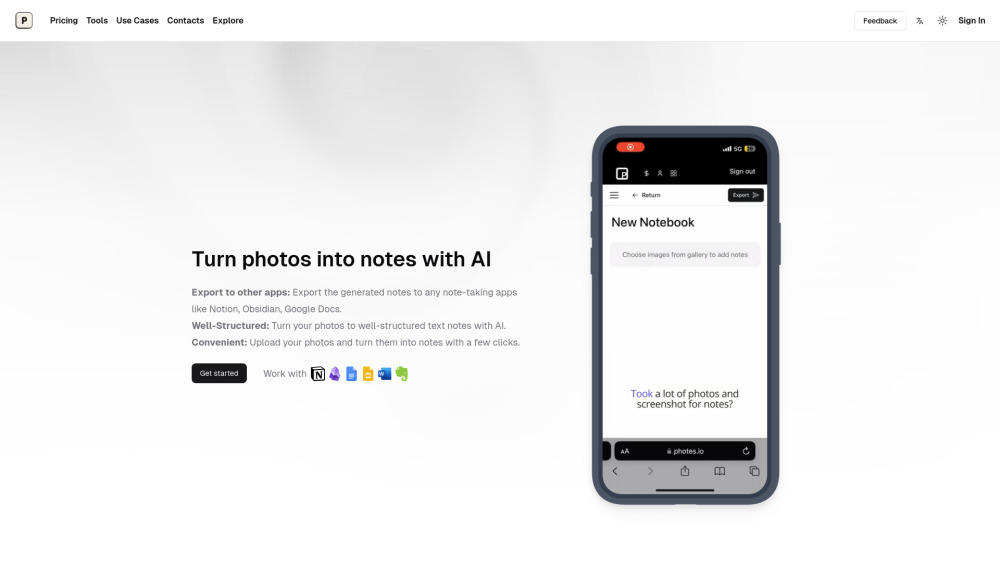
Pixno is an AI note-taking assistant that turns messy source material into organized, readable notes. Point it at a photo of a whiteboard, a slide deck, a PDF, a voice recording, or a video, and vision-capable AI models understand the content and structure it into clean text. It is especially good at making sense of charts, graphs, and complex diagrams, extracting meaning rather than just words. Pixno integrates with popular note-taking apps so finished notes flow into the tools you already use. Students, professionals, and researchers capture and organize information faster.
How to Use
Snap a photo, scan a PDF, or record an audio/video clip, then upload it to Pixno. The AI extracts the content and converts it into structured text notes you can search, organize, and export for easy reference.
Core Features
Use Cases
- 1 Turning lecture recordings into concise notes
- 2 Converting textbooks into study notes
- 3 Transforming slides into comprehensive text notes
- 4 Extracting knowledge from images of meetups and classes
Frequently Asked Questions
What are the advantages of Pixno?
Does my notes sync automatically between my phone and laptop?
Can I turn my photos into text notes for free?
How to export my notes to Obsidian?
What is the relation between Pixno and Photes.io?
Quick Info
- Category
- Voice Generation & Conversion
- Subcategory
- Audio To Text AI
- Added on
- Nov 22 2024
- Monthly Visits
- 62.5K
- Rating
- 5.0 / 5.0



