AvatarStudio
AI avatar generator for creating custom avatars from selfies and prompts.
Screenshots
Overview
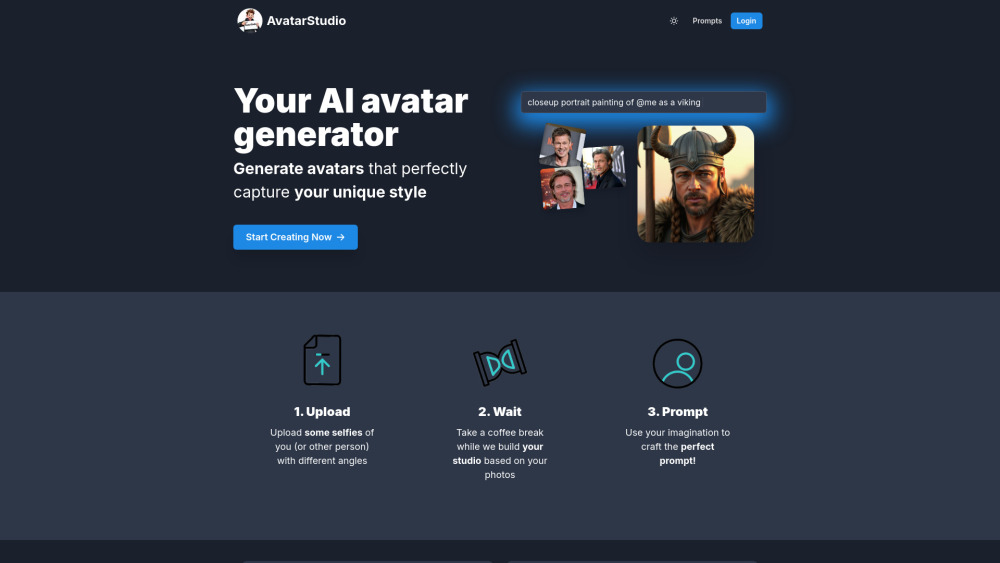
AvatarStudio is a dedicated AI avatar generator that lets you craft custom digital identities from your selfies and text prompts. Unlike basic filters, this tool gives you granular control over the creative process, allowing you to describe specific looks, outfits, backgrounds, or moods that the AI then incorporates into your avatar. It blends facial recognition with generative design to maintain your likeness while exploring endless stylistic variations. Whether you need a professional headshot for LinkedIn, a playful character for gaming, or a stylized profile picture for social platforms, AvatarStudio adapts to your needs. The platform is designed for speed and accessibility, ensuring that anyone can create high-quality, personalized avatars without any design skills.
How to Use
Start by uploading a selfie, then type a detailed prompt describing your desired avatar style, clothing, and setting. Review the generated variations, refine your prompt or choose a different base image, and export your favorite result.
Core Features
Use Cases
- 1 Generate personalized avatars for social media profiles.
- 2 Create unique avatars for gaming or virtual worlds.
- 3 Develop avatars for professional use, such as online meetings or presentations.
Frequently Asked Questions
How is AvatarStudio different from other avatar makers?
Can I use AvatarStudio for professional headshots?
What do I need to get started?
Quick Info
- Category
- Image Generation & Editing
- Subcategory
- Text to Image
- Added on
- Aug 30 2024
- Monthly Visits
- --
- Rating
- 5.0 / 5.0
- Saved
- 2


