Sketch To
AI tool for converting images to sketches and sketches to images.
Screenshots
Overview
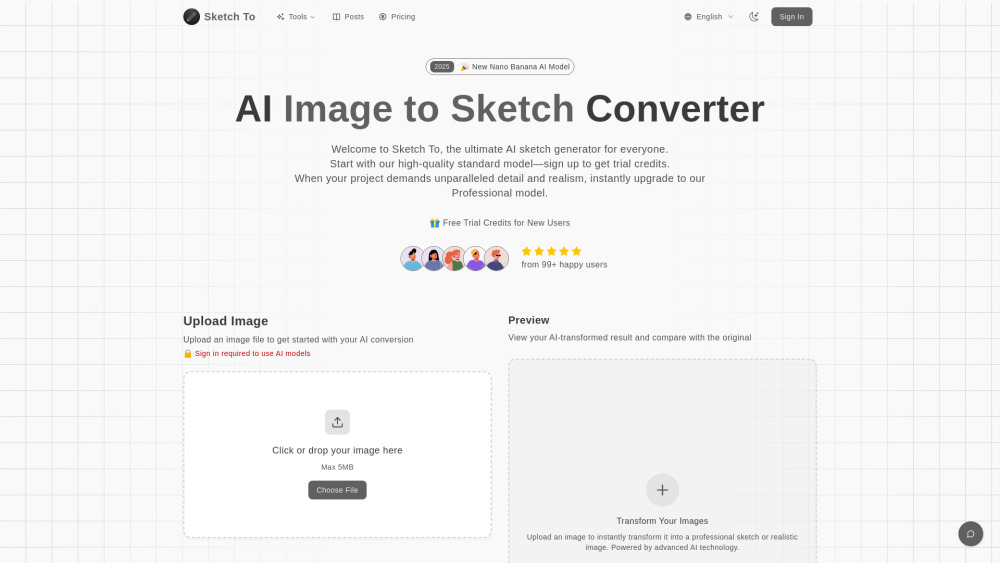
Sketch To is a versatile AI tool that bridges the gap between images and sketches through bidirectional conversion. Users can transform photographs or digital images into beautiful sketches, or alternatively convert sketch drawings into realistic images, opening up a world of creative possibilities. This functionality makes it valuable for artists, designers, and hobbyists who want to explore different visual styles or streamline their creative workflows. The tool uses advanced AI models to interpret line work and visual details, preserving the essence of the original content while transforming its medium. Sketch To offers an accessible and intuitive route to experiment with artistic style transformation.
How to Use
Transform your images or sketches with Sketch To in 3 simple steps: 1. **Upload Your File**: Drag and drop your photo or sketch file onto the canvas. The tool supports multiple image formats. 2. **Choose Your Style & Model**: Select your desired artistic style. The Standard Model is chosen by default and uses 1 credit per conversion. For ultimate quality, you can select the Professional Model. 3. **Generate & Download**: Click 'Generate'. The AI converter will process your request instantly. You can then preview the result and download your new creation in high resolution.
Core Features
Use Cases
- 1 Converting photos to artistic pencil sketches for social media posts, creative hobbies, or school projects.
- 2 Transforming sketches into realistic images for professional design work, client projects, or commercial use.
- 3 Creating high-resolution digital art for print and professional applications.
- 4 Generating content for blogs and other online platforms.
Frequently Asked Questions
What's the difference between the Standard and Professional models?
How much does Sketch To cost?
What are the best practices for how to convert photo to sketch?
What file formats are supported?
Can I use Sketch To for commercial purposes?
How long does it take to process an image?
Quick Info
- Category
- Image Generation & Editing
- Subcategory
- Image to Image
- Added on
- Sep 29 2025
- Monthly Visits
- 59.6K
- Rating
- 5.0 / 5.0
- Saved
- 1