AI Image to Image Generator
AI tool to transform, edit, and enhance photos using text prompts.
5.0
Rating
1
Saved
--
Visits/mo
Screenshots
Overview
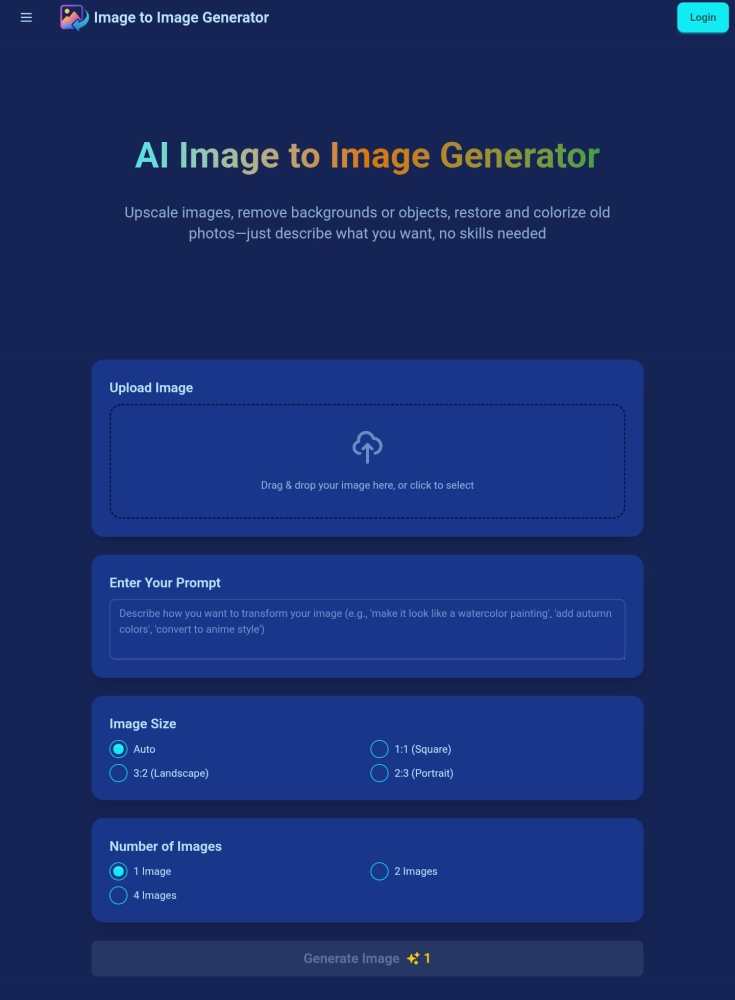
AI Image to Image Generator is a creative AI tool that allows users to transform, edit, and enhance their photos using simple text prompts. By describing the desired changes, users can convert an existing image into a completely new artistic style, modify its content, or improve its quality without manual editing skills. It is designed for artists, content creators, and casual users looking to explore new visual possibilities quickly.
How to Use
Upload an image to the AI Image to Image Generator, then type a text prompt describing the transformation or enhancement you want. The AI edits the photo accordingly, and you can review and download the final result.
Core Features
Text-prompt editing Photo enhancement Transform image styles Customizable output Quick processing
Use Cases
- 1 Style Transfer (e.g., changing to a 3D style)
- 2 Object Removal (e.g., removing unwanted pedestrians)
- 3 Background Removal
- 4 Old Photo Restoration and Colorization
- 5 Changing elements by description (e.g., opening a TV and playing a football match)
Frequently Asked Questions
What is an image to image generator?
It's a tool that transforms an existing image into a new one using AI, guided by a text prompt describing the changes you want.
What image formats are supported?
Common formats like JPG, PNG, and WEBP are supported for both upload and download of generated images.
How long does image generation take?
Most images generate within a few seconds to a minute depending on complexity and current server load.
Can I use the generated images commercially?
Paid plans typically include commercial usage rights; check your specific plan's terms before using images in business work.
How do I write effective prompts?
Be specific about style, subject, colors, lighting, and mood—the more detail you give, the closer the output matches your vision.
Is my uploaded data secure?
Uploaded images are processed securely and are not shared with other users or used to train shared models.
How long do my credits last?
Credits typically remain valid for the duration of your billing period and may reset at the end of each cycle depending on your plan.
Can I get a refund for unused credits?
Unused credits are generally non-refundable, but you can contact support for help with billing issues.
What happens when I run out of credits?
You can wait for your next cycle to refill, purchase additional credits, or upgrade your plan to continue generating.
Can I get a refund if I'm not satisfied with the results?
Refunds for dissatisfaction are handled case-by-case—reach out to support within the refund window for help.
How do I manage or cancel my subscription?
You can manage or cancel your subscription anytime from your account settings under billing or subscriptions.
How do you handle NSFW or adult content?
The platform blocks NSFW and adult content through filters and prohibits generating explicit or inappropriate images.
Quick Info
- Category
- Image Generation & Editing
- Subcategory
- Object Remover AI
- Added on
- Jun 28 2025
- Monthly Visits
- --
- Rating
- 5.0 / 5.0
- Saved
- 1


