Object Remover AI
AI Product Photography
AI Image Generator
AI Image Enhancer
AI Headshot Generator
AI Background Remover
Magic Studio
AI-powered image editing platform for easy creation and enhancement of visuals.
5.0
Rating
4
Saved
--
Visits/mo
Screenshots
Overview
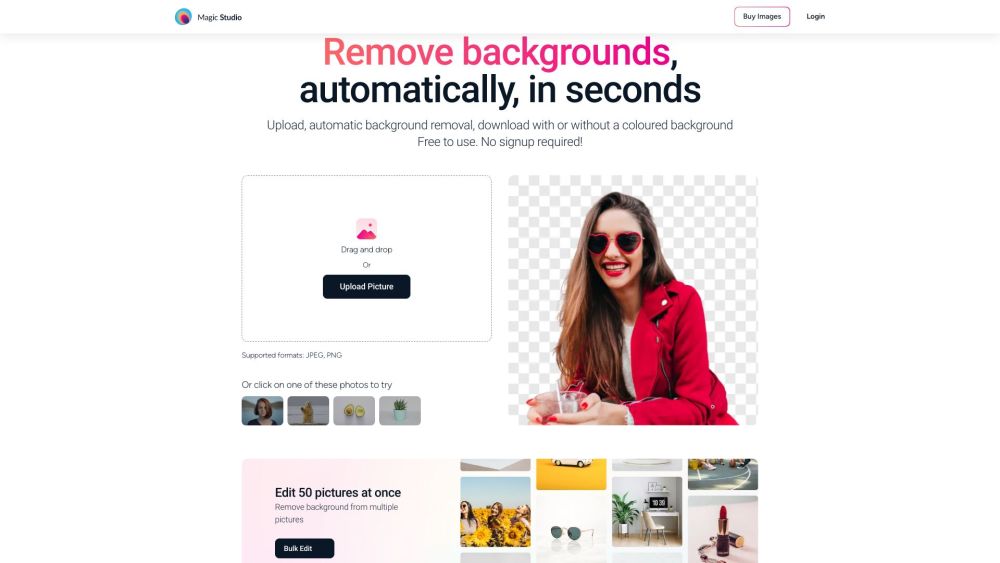
Magic Studio is an AI-powered platform that enables users to create and edit images easily. It offers tools to remove objects, backgrounds, and more, making it suitable for creating product pages, ads, and social media content without requiring design skills.
How to Use
Users can upload images to Magic Studio and utilize various AI-driven tools to edit them. These tools include object removal, background alteration, and AI image generation. The platform is designed to be user-friendly, requiring minimal technical expertise.
Core Features
AI Image Generator Magic Eraser (object removal) Background Remover Image Upscaler Background Blur AI Art Generator HEIC to JPG Converter WEBP to PNG Converter
Use Cases
- 1 Creating product photos for e-commerce
- 2 Designing social media posts
- 3 Generating marketing and advertising visuals
- 4 Removing unwanted elements from photos
- 5 Enhancing image resolution
Frequently Asked Questions
Is Magic Studio free to use?
Yes, Magic Studio offers a free plan, with a paid PRO plan that unlocks advanced features.
Can I use Magic Studio for commercial projects?
Yes, Magic Studio can be used for commercial projects, with the PRO plan offering a commercial license.
Is my data safe with Magic Studio?
Yes, your data is processed securely and protected according to the platform's privacy practices.
What formats does Magic Studio support?
Magic Studio supports common image formats such as JPG, PNG, and WEBP for upload and export.
What do I get in the PRO plan?
The PRO plan unlocks advanced editing tools, higher-quality and watermark-free exports, and access to premium features and templates.
Quick Info
- Category
- Image Generation & Editing
- Subcategory
- Object Remover AI
- Added on
- Nov 29 2023
- Monthly Visits
- --
- Rating
- 5.0 / 5.0
- Saved
- 4



