GPT4 Chat Settings
Chrome extension for enhanced GPT4 chat with custom prompts and formatting.
Screenshots
Overview
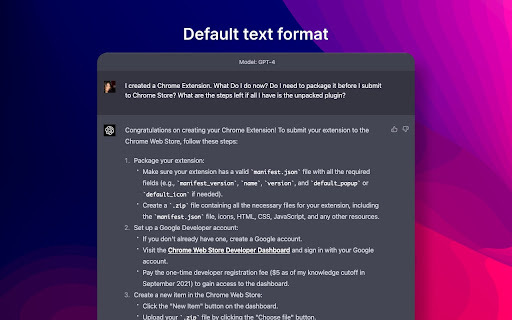
GPT4 Chat Settings is a Chrome extension that enhances the ChatGPT interface by giving you more control over how your conversations are formatted and processed. It allows you to set custom prompts, control output formatting, and adjust conversation settings to suit your specific needs. This is useful for users who want a more tailored chat experience—such as developers testing code or writers needing structured output—without navigating hidden settings or manually adjusting every response.
How to Use
Install GPT4 Chat Settings extension in Chrome, then open a GPT4 chat session. Click the extension icon to access custom prompt fields and formatting options. Write or paste your preferred prompts, adjust text styles like bold or lists, and apply settings. Enjoy a tailored chat experience with your prompts automatically integrated.
Core Features
Use Cases
- 1 Improving the formatting and quality of GPT4 chat responses
- 2 Saving and reusing custom prompts for different chat sessions
Frequently Asked Questions
Does GPT4 Chat Settings work with other GPT versions?
How do I use the custom prompts I've added?
Quick Info
- Category
- Writing & Editing
- Subcategory
- AI Prompt Generator
- Rating
- 5.0 / 5.0