ChatGPT Custom Instructions Profile Extension
Extension for managing custom instruction profiles in ChatGPT.
Screenshots
Overview
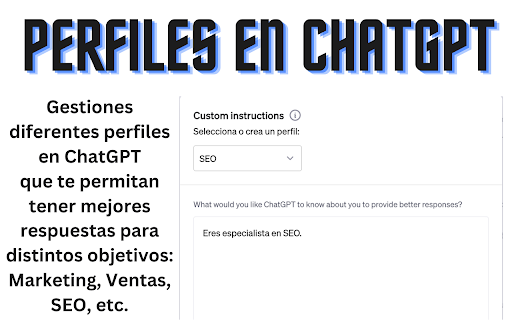
This browser extension simplifies how you manage custom instructions in ChatGPT by letting you create, store, and switch between multiple instruction profiles. Instead of manually rewriting your preferences for each new conversation, you can save different setups—like one for professional writing, another for coding—and apply them with a single click. It's ideal for frequent ChatGPT users who want consistent, tailored responses across different projects or contexts without repetitive configuration overhead.
How to Use
Install the ChatGPT Custom Instructions Profile Extension in your browser. Use it to create and manage multiple custom instruction profiles for ChatGPT. Switch between profiles as needed to apply different instruction sets. This allows you to tailor ChatGPT responses to different contexts.
Core Features
Use Cases
- 1 Switch between a professional tone for business and a casual tone for personal conversations.
Frequently Asked Questions
Where are my instructions and profiles stored?
Is my information extracted by the extension?
Quick Info
- Category
- Writing & Editing
- Subcategory
- AI Prompt Generator
- Rating
- 5.0 / 5.0