Image to STL
AI tool that converts 2D images into 3D printable STL files.
Screenshots
Overview
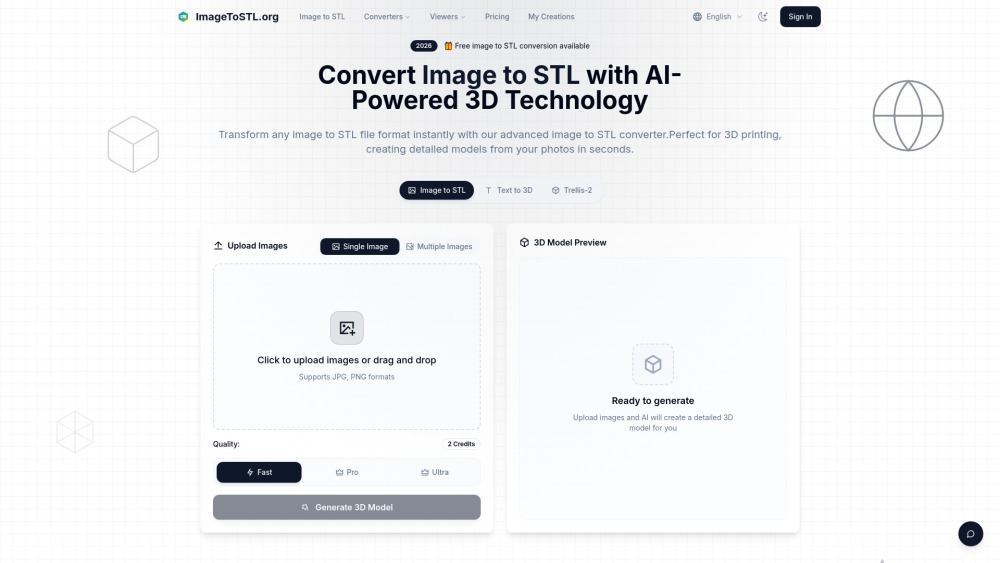
ImageToSTL is an advanced AI-powered online platform designed to instantly convert 2D images into high-quality, 3D printable STL files. It utilizes sophisticated neural networks to analyze pixel data, image depth, contours, and details, generating precise 3D geometry optimized for FDM, SLA, and other 3D printing technologies. Beyond image-to-STL conversions, the website also supports text-to-3D generation, multi-image 3D reconstruction, and features an integrated 3D model viewer to preview designs before downloading.
How to Use
To use the converter, upload a JPG or PNG image (up to 10MB) by clicking or dragging it into the upload zone. Choose your preferred quality setting (Fast, Pro, or Ultra), and click 'Generate 3D Model'. Once the AI completes the analysis and generation, use the integrated 3D viewer to preview the model, customize settings like height and base thickness if needed, and immediately download the finished STL or GLB file.
Core Features
Use Cases
- 1 Transforming a photo of a medieval castle into a detailed 3D model with intricate towers and walls
- 2 Converting complex mechanical part drawings into precise 3D models for engineering applications
- 3 Turning 2D ship designs into accurate 3D printable files with correct proportions
Frequently Asked Questions
How does the image to STL converter work?
What image formats can I convert to STL?
Is the image to 3D STL conversion suitable for 3D printing?
How long does it take to convert image to STL?
Can I customize the output from my image?
What makes your image to STL AI different?
Quick Info
- Category
- Art & Creative Design
- Subcategory
- AI 3D Model Generator
- Added on
- May 25 2026
- Monthly Visits
- 97.4K
- Rating
- 5.0 / 5.0