Selfie AI
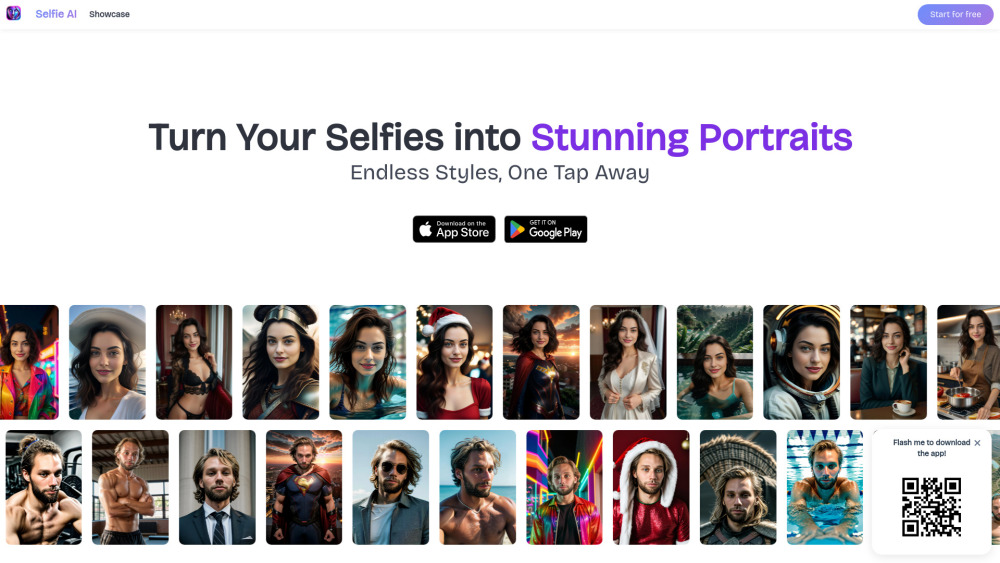
Selfie AI transforms selfies into AI-generated portraits with diverse styles and customization.
Screenshots
Overview
Selfie AI transforms your ordinary selfies into striking, AI-generated portraits across a wide range of artistic styles. From painterly aesthetics to futuristic avatars, the tool offers deep customization, letting you tweak backgrounds, lighting, and effects to match your vision. Whether you're refreshing your social media profiles, creating unique gifts, or simply exploring creative expressions of your image, Selfie AI provides a fast and intuitive way to produce high-quality portraits. It's designed for anyone who wants to elevate their personal photos from simple snapshots to shareable works of digital art.
How to Use
Upload a clear selfie and choose from available art styles or customization options like filters, backgrounds, or effects. The AI processes your photo to generate a portfolio of portraits. Review the results, tweak style parameters if needed, and download your favorite AI-enhanced images.
Core Features
Use Cases
- 1 Creating professional profile pictures
- 2 Generating unique social media avatars
- 3 Experimenting with different styles and looks
- 4 Creating fun and creative portraits
Frequently Asked Questions
What photos should I upload to create wonderful avatars?
Is Selfie AI free?
How many avatars can I create?
How many categories are available?
How do I get new credits?
How can I stop the subscription?
What happens to the photos I upload on the app?
Quick Info
- Category
- Image Generation & Editing
- Subcategory
- AI Avatar Generator
- Added on
- Mar 24 2025
- Monthly Visits
- --
- Rating
- 5.0 / 5.0
- Reviews
- 1





