PromptDrive.ai - Chrome Extension
Free prompt management tool to save, organize, and share AI prompts.
Screenshots
Overview
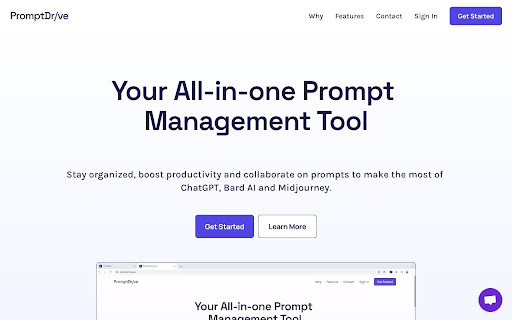
PromptDrive.ai is a free prompt management tool that solves the problem of prompts scattered across chats, documents, and apps. It provides one central place to save, organize, and share prompts for AI tools such as ChatGPT, Bard, and Midjourney. Prompts are easy to find when needed, with no more digging through conversation history to recover one that worked well. The tool is available as a Chrome extension, so saving happens right in the flow of work, and sharing makes it simple to pass useful prompts to teammates or friends.
How to Use
How to use PromptDrive.ai ai chrome extension? Users can save or create prompts, add notes for context, search their prompt library, copy and execute prompts, organize prompts with folders and tags, and share prompts with a unique URL. A Chrome extension allows users to access prompts directly from their AI applications.
Core Features
Use Cases
- 1 PromptDrive.ai ai chrome extension's Use Cases
- 2 Organizing and managing prompts for ChatGPT, Bard AI, and Midjourney.
- 3 Sharing effective prompts with team members or the community.
- 4 Creating templates for frequently used prompts using custom variables.
Frequently Asked Questions
What is PromptDrive.ai?
Is PromptDrive.ai associated with ChatGPT, Bard AI, or Midjourney?
How do I use PromptDrive.ai with my AI apps?
Quick Info
- Category
- Writing & Editing
- Subcategory
- Prompt Engineering
- Added on
- May 27 2025
- Monthly Visits
- 3.0K
- Rating
- 4.5 / 5.0
- Reviews
- 22