Droplette
AI-powered color palette generator for Figma & FigJam.
Screenshots
Overview
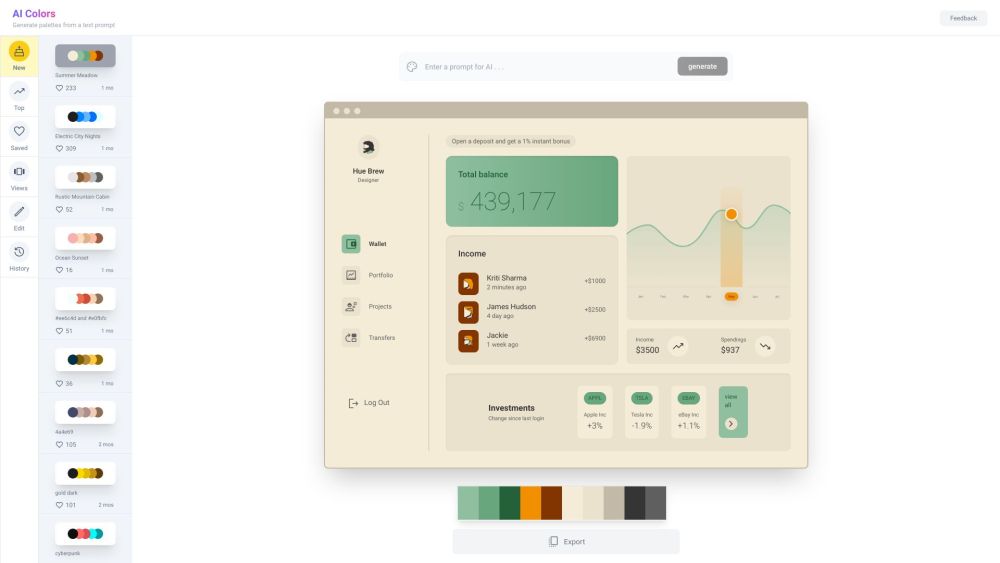
Droplette is an AI-powered color palette generator designed specifically for Figma and FigJam users. It streamlines the design workflow by automatically generating cohesive color schemes that match your project's needs. Ideal for UI/UX designers, product teams, and digital creatives, Droplette eliminates the guesswork of manual color selection, helping you maintain visual consistency across your designs. By integrating directly into your existing Figma environment, it saves time and boosts productivity, making it a valuable asset for anyone looking to elevate their design projects with thoughtfully curated color palettes.
How to Use
Install Droplette in Figma or FigJam, then select a base color or image. The AI analyzes the input and generates a harmonious color palette with variations and complementary shades. Apply the palette directly to your frames or export it for use in other projects.
Core Features
Use Cases
- 1 Generating color palettes for UI design projects in Figma
- 2 Creating brand-consistent color schemes for marketing materials
- 3 Exploring different color combinations for creative projects
Frequently Asked Questions
Is Droplette free to use?
What languages does Droplette support?
How accurate is Droplette?
How long does Droplette take to run?
How do I setup Droplette?
Quick Info
- Category
- Art & Creative Design
- Subcategory
- AI Design Assistant
- Added on
- Aug 15 2024
- Monthly Visits
- --
- Rating
- 5.0 / 5.0
- Saved
- 3