Summarize This Article - Chrome Extension
Chrome extension using OpenAI to summarize articles with customizable prompts and length.
Screenshots
Overview
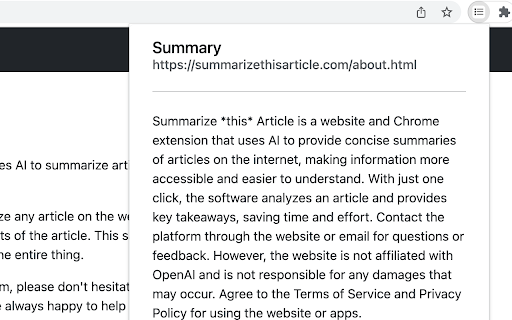
Summarize This Article is a Chrome extension that uses OpenAI's language models to condense web articles into short, readable summaries. Users can trigger a summary on virtually any page and customize how it works, choosing a custom prompt to guide the output and adjusting the length to get a quick takeaway or a more detailed digest. Because the extension runs entirely inside the browser, the user's own API key is stored securely within the Chrome environment, and no external account is required. For researchers, students, and busy professionals, the extension turns long-form content into key points in seconds.
How to Use
Install the extension, open an article in Chrome, click the icon, set your prompt preference or choose summary length, and let OpenAI generate a concise summary.
Core Features
Use Cases
- 1 Summarize This Article ai chrome extension's Use Cases
- 2 Quickly understand the main points of an article without reading the entire text.
- 3 Efficiently gather information from multiple sources for research or reporting.
- 4 Save time by getting concise summaries of news articles, blog posts, and other online content.
Frequently Asked Questions
How does Summarize This Article work?
Where are my OpenAI API keys stored?
Where can I find the source code for this extension?
Quick Info
- Category
- Writing & Editing
- Subcategory
- Prompt Engineering
- Added on
- Nov 03 2023
- Monthly Visits
- 26
- Rating
- 0.0 / 5.0
- Saved
- 4





