UPCV
“Build a job-ready resume in minutes — not hours.”
Screenshots
Overview
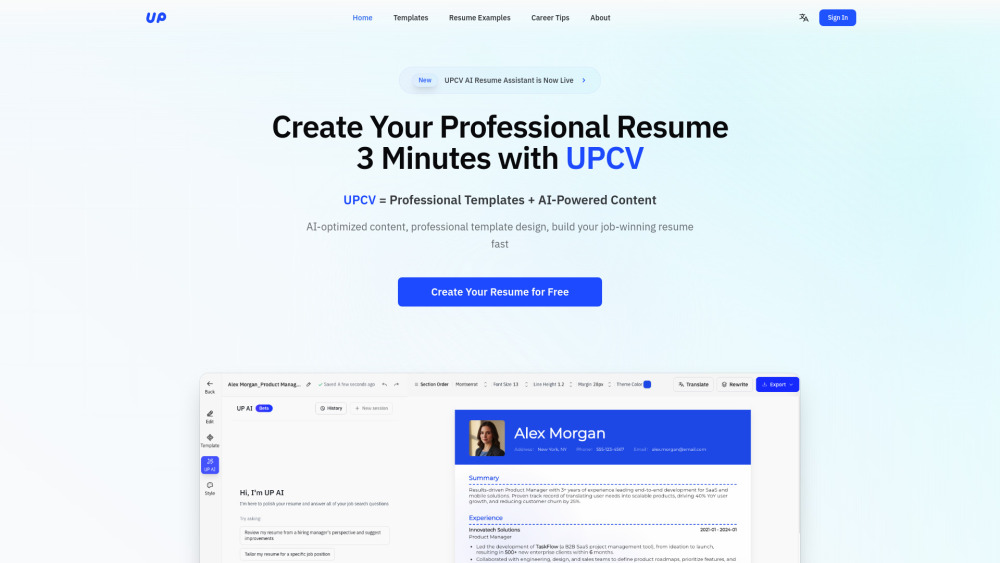
UPCV is an AI resume builder designed for job seekers who want a job-ready resume in minutes rather than hours. Instead of facing a blank page, users are guided through a short, structured conversation that captures their experience and turns it into a formatted resume in real time. The editor is fully visual: text appears instantly in the document, and sections can be moved with drag-and-drop, so no design skills are required. Built-in AI sharpens wording, rewrites achievements with measurable results, tailors versions to specific job descriptions, and can translate the resume into other languages. Core features stay free with unlimited exports.
How to Use
Jump straight into UPCV’s builder and enter your details across pre-structured fields. The tool instantly formats your information into a polished, job-ready resume. Review the layout, make any adjustments, and save or download your resume within minutes.
Core Features
Use Cases
- 1 1. Why can I only see two free templates? Where are the other free options? 2. Why does a “download blocker” appear when I try to export a free template? 3. Is UPCV really free to use? 4. Why does UPCV export as PDF? Can I export as Word? 5. Can I edit the AI-generated content? What if it doesn’t sound like me? 6. Do I need to answer every question in the 3-minute conversation flow? 7. I don’t have internships or projects. Can the tool still help me? 8. Why does my layout shift after editing? 9. Can I create multiple job-specific resume versions? 10. Is my data private and secur 11. Can I edit my resume on my phone? 12. Which languages does UPCV support? 13. What makes UPCV better for job seekers than typical resume builders? 14. How can I get help if I run into issues?
Frequently Asked Questions
How can I contact UPCV support?
Where do I log in or sign up for UPCV?
Where can I find UPCV pricing?
Quick Info
- Category
- Writing & Editing
- Subcategory
- Resume AI
- Added on
- Nov 17 2025
- Monthly Visits
- 6.5K
- Rating
- 5.0 / 5.0
- Reviews
- 1


