seedance 2.1
Online AI video and image generator supporting text-to-video, image-to-video, and low-cost draft modes.
Screenshots
Overview
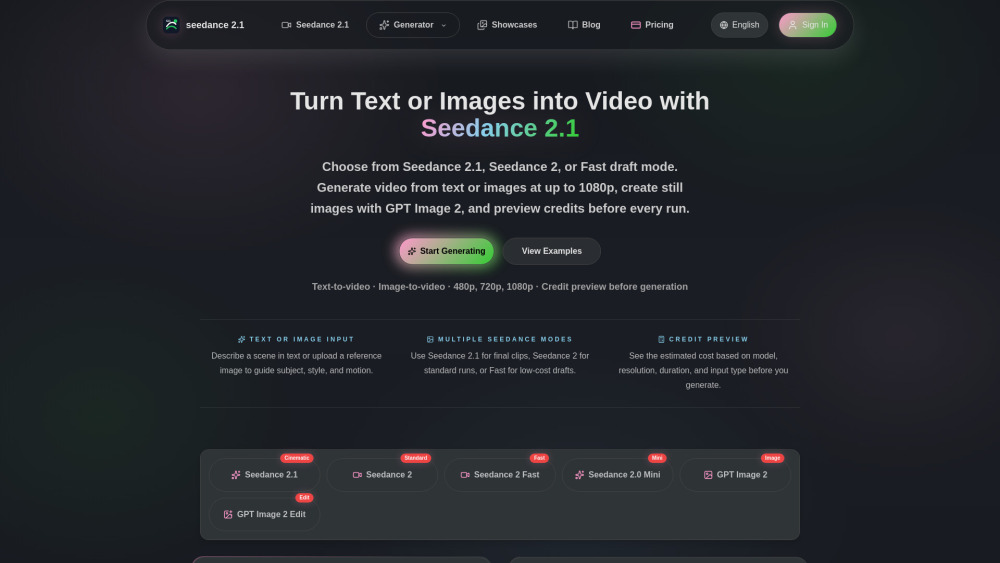
Seedance 2.1 is an online AI suite for generating both videos and images from text or existing footage. It supports multiple creation modes, including text-to-video and image-to-video, allowing users to animate stills or bring written ideas to life. A low-cost draft mode offers a budget-friendly option for quick concepts or client previews. The platform is geared toward content creators, marketers, and indie filmmakers seeking flexible AI generation without heavy server demands. Its all-in-one approach avoids juggling separate tools for static and motion visuals.
How to Use
Visit seedance 2.1 and choose between text-to-video or image-to-video modes. Enter a text prompt or upload an image, select the draft mode for lower cost, and generate your video or image directly in the browser.
Core Features
Use Cases
- 1 Creating high-impact cinematic action sequences for creative videos
- 2 Developing commercial-style motion and brand clips showcasing product textures and lighting
- 3 Generating stylized anime or concept animations from detailed text descriptions
- 4 Testing and refining prompt structures using low-cost 480p/720p draft modes before final rendering
- 5 Creating reference style frames and thumbnails using GPT Image 2
Frequently Asked Questions
What models are available on Seedance?
How do I choose the right model for my video?
Do failed generations cost credits?
Can I try Seedance before buying credits?
Quick Info
- Category
- Image Generation & Editing
- Subcategory
- AI Image Generator
- Added on
- Jun 22 2026
- Monthly Visits
- --
- Rating
- 5.0 / 5.0



