Qreative AI
Qreative AI uses AI to create artistic and engaging QR codes for businesses.
Screenshots
Overview
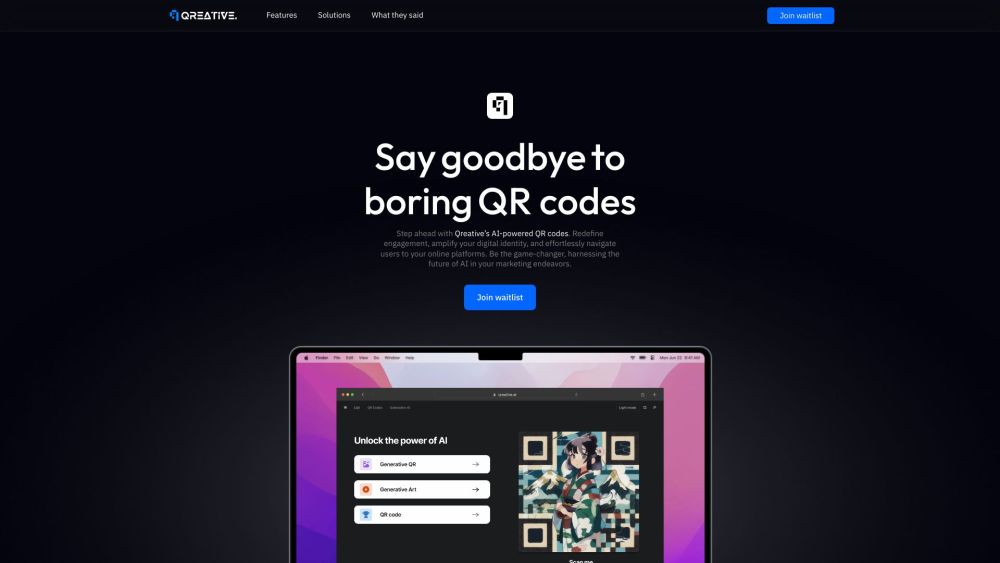
Qreative AI is a platform that uses AI technology to create engaging and artistic QR codes for businesses. It allows users to transform QR code engagement with visually captivating codes, driving immersive digital interactions. The platform offers features to design and implement AI-enhanced, visually striking QR codes, elevating a brand's digital presence and stimulating user engagement. It also provides a way to generate or upload QR codes, customize their style, and download them in various formats.
How to Use
To create a Generative QR code with Qreative AI, open the Generative QR code generator, enter a URL, and tap 'Create Generative QR Code'. Customize the style to match your branding. Download the QR code image in your desired file type (.jpg or .png).
Core Features
Use Cases
- 1 Enhancing marketing campaigns with visually appealing QR codes
- 2 Creating unique QR codes that resonate with a brand's style
- 3 Driving audience engagement through artistic QR codes
- 4 Integrating QR codes seamlessly into ads and banners
Frequently Asked Questions
Q:What is Qreative AI? A:It is an AI tool that turns plain QR codes into artistic, engaging designs for businesses. Q:How do I create a Generative QR code? A:Enter your URL, choose a style or template, and the AI generates a custom artistic QR code. Q:What file types can I download the QR code in? A:You can download your QR codes in common formats such as PNG, JPG, and SVG. Q:What are the benefits of using Qreative AI? A:You get beautiful, branded QR codes that catch more attention while still scanning reliably.
Quick Info
- Category
- Image Generation & Editing
- Subcategory
- AI Image Generator
- Added on
- Jun 16 2023
- Monthly Visits
- --
- Rating
- 5.0 / 5.0
- Saved
- 5





