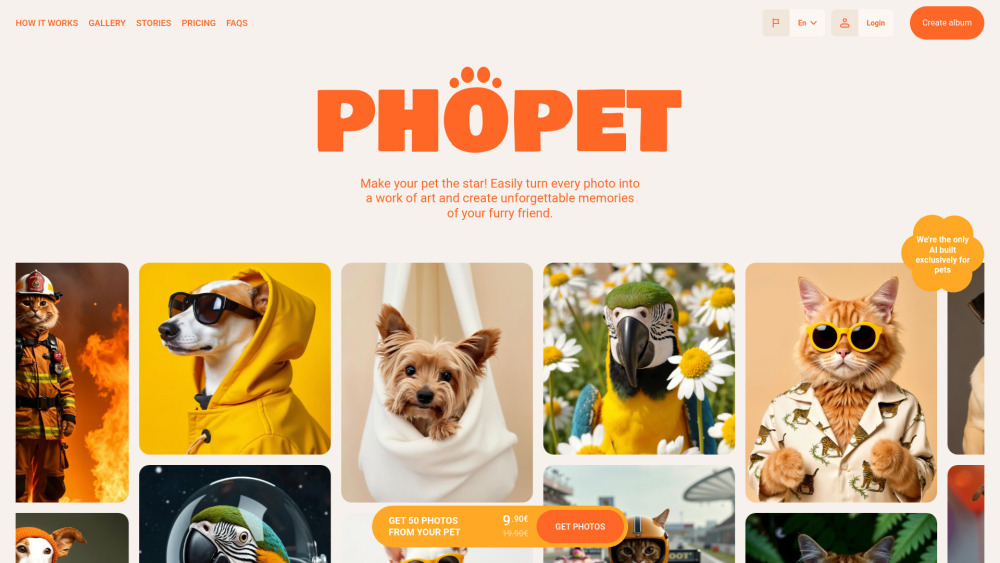
Phopet
AI app that transforms pet photos into studio-quality images and personalized products.
Screenshots
Overview
Phopet is a specialized app devoted to our furry friends, transforming ordinary pet photos into studio-quality images. Through AI, it can enhance backgrounds, lighting, and overall composition, making a casual snapshot look like a professional portrait. Beyond simple enhancement, the app also allows users to create personalized products from these images, such as custom calendars, mugs, or keepsakes. It's a delightful service for devoted pet owners who want to celebrate their animal companions, offering both an easy way to get beautiful pictures and a unique avenue for creating lasting memories and gifts.
How to Use
Upload a photo of your pet, let the AI automatically remove backgrounds and enhance quality, then choose from studio-style backgrounds or turn the image into personalized products like mugs or prints.
Core Features
Use Cases
- 1 Creating studio-quality photos of pets
- 2 Generating fun stories featuring pets
- 3 Producing wall art and custom merchandise with pet photos
- 4 Creating personalized gifts
Frequently Asked Questions
How long does it take to train my pet's model?
How many photos should I upload to create a high-quality model?
What type of photos are best to upload?
What can I do with the generated images?
Can I use the generated images for commercial purposes?
How will I know when my model is ready?
What happens if I don't have enough credits to train a model or create images?
Can I create more than one model for different pets?
What if I'm not satisfied with the generated images?
Is there a limit to how many photos I can generate?
Can I retrain my model if I want better results?
What happens to my models and images if I no longer purchase credits?
Can I download invoices for my purchases?
Can I request a refund?
What happens to my data if I don't purchase credits for an extended period?
Quick Info
- Category
- Image Generation & Editing
- Subcategory
- AI Image Upscaler
- Added on
- Dec 13 2024
- Monthly Visits
- --
- Rating
- 5.0 / 5.0


