Scan2AI - Chrome Extension
Chrome extension for screen capture and AI-powered processing.
Screenshots
Overview
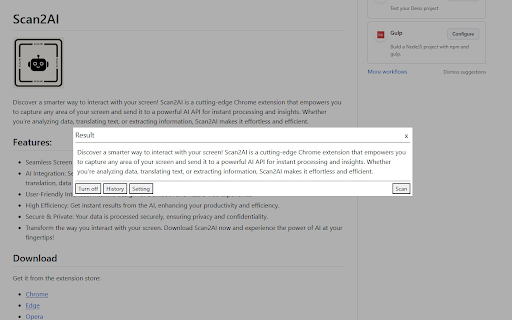
Scan2AI is a Chrome extension that turns your screen into an instant input for artificial intelligence. With a simple screen capture, users can grab any portion of their display—whether it’s a chart, article, or dashboard—and immediately run it through AI-powered processing to extract insights, summarize content, or answer questions about what’s on screen. Designed for researchers, students, and professionals who work heavily in the browser, it removes the friction of manually copying or saving content. If you frequently need to analyze visuals or text without leaving your current tab, this extension streamlines that entire workflow.
How to Use
Install the extension, then capture a region of your screen using the toolbar button or shortcut. The AI processes the captured image and offers actions like text extraction, summarization, or other smart insights directly in your browser.
Core Features
Use Cases
- 1 Analyzing data from screenshots
- 2 Translating text from images
- 3 Extracting information from screen captures
Frequently Asked Questions
What can Scan2AI do?
Quick Info
- Category
- Image Analysis
- Subcategory
- AI OCR
- Added on
- Dec 12 2025
- Monthly Visits
- 60
- Rating
- 0.0 / 5.0