Image Translator - Chrome Extension
Translates text within images to Chinese.
Screenshots
Overview
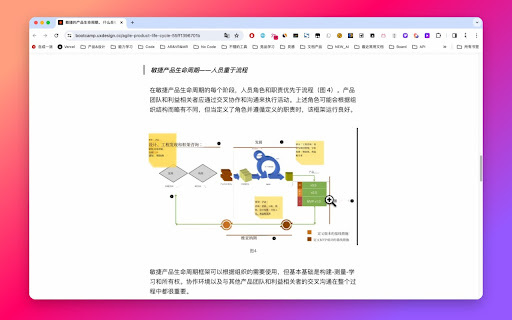
Image Translator is a handy Chrome extension that breaks down language barriers in visual content. It detects and translates text embedded within images directly in your browser, converting it to Chinese with a simple click. Whether you're reading screenshots, infographics, or scanned documents, this tool makes foreign-language images understandable instantly. It's particularly useful for travelers, researchers, and bilingual professionals who regularly encounter Chinese text in images or need to translate visual content for Chinese-speaking audiences. No complicated setup is required—just install the extension and start translating images as you browse.
How to Use
Right-click on an image in a webpage and select the 'Image Translation' option to translate the text within the image to Chinese.
Core Features
Use Cases
- 1 Translating foreign language text in images to understand their content.
Frequently Asked Questions
How do I use the image translation feature?
Quick Info
- Category
- Image Analysis
- Subcategory
- AI OCR
- Added on
- Jan 19 2026
- Monthly Visits
- 480
- Rating
- 2.8 / 5.0
- Reviews
- 6