Toyify Me
AI tool transforms photos into figurine-style images.
Screenshots
Overview
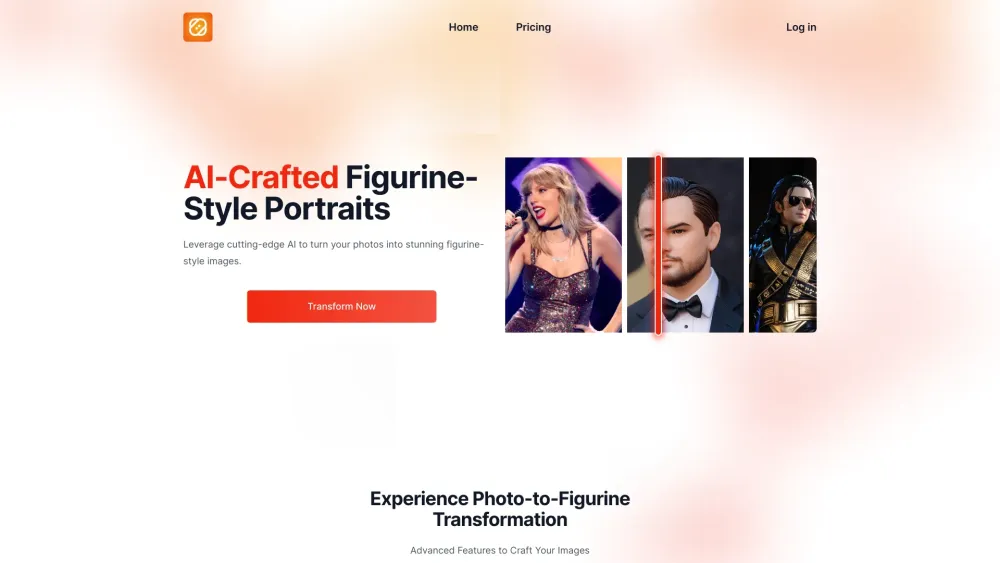
Toyify Me is an AI tool that transforms any photo into a figurine-style image, specifically mimicking the textures and aesthetic details typical of PVC figurines. It offers a quick, easy, and fun way to convert photos, with options to start for free or explore premium features. The platform leverages cutting-edge AI to provide stunning figurine-style images from various photo types, including portraits, landscapes, and everyday moments.
How to Use
To use Toyify Me, first, select the image you'd like to use for your figurine, which can be a photo of yourself, a loved one, or a favorite character. Then, simply click on the 'Run' button, and the AI will generate a unique figurine design based on the provided image.
Core Features
Use Cases
- 1 Transforming personal photos into unique figurine-style images.
- 2 Converting photos of loved ones or favorite characters into figurines.
- 3 Applying figurine-style effects to landscapes and objects.
- 4 Creating unique digital art pieces from existing photos.
Frequently Asked Questions
How does the AI convert my photo into a figurine-style image?
Can I transform photos that are not portraits, like landscapes or objects?
How long does it take to transform a photo?
What file formats are supported for uploading photos?
How accurate are the figurine-style transformations?
What are the system requirements for using this tool?
What is the difference between free and paid plans?
What should I do if I experience technical issues with the tool?
Quick Info
- Category
- Image Generation & Editing
- Subcategory
- AI Photo Editor
- Added on
- Jun 06 2024
- Monthly Visits
- --
- Rating
- 5.0 / 5.0



