PhotoGov
AI-powered online service for creating compliant passport, visa, and ID photos.
Screenshots
Overview
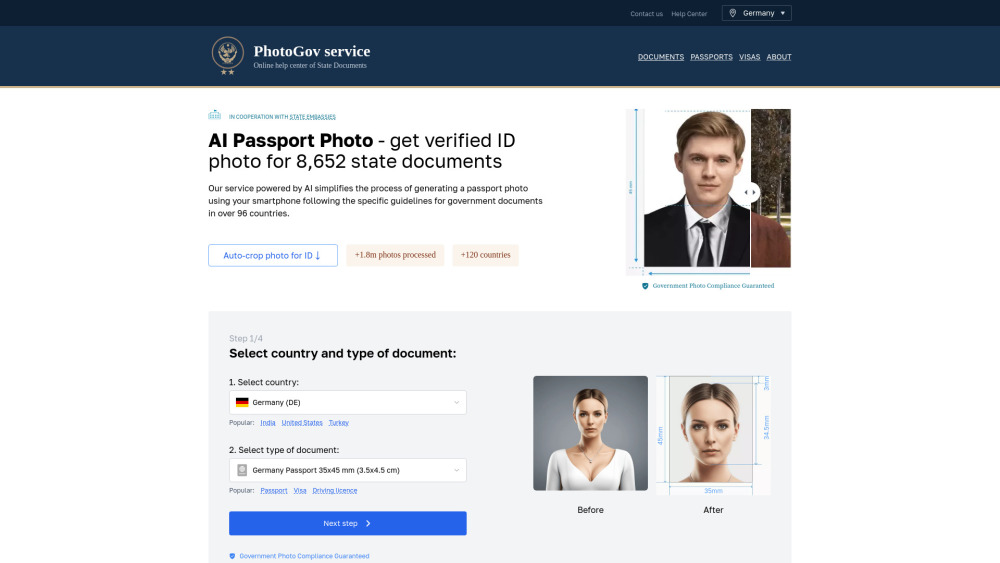
PhotoGov is an AI-powered online service that generates compliant passport, visa, and ID photos. Users upload a regular photo, and the tool automatically adjusts sizing, background, and lighting to meet strict government requirements for various countries. It's ideal for travelers, expats, and anyone needing official documents quickly and conveniently, eliminating the hassle of visiting a physical photo booth. PhotoGov provides a reliable, automated solution that ensures photos are accepted the first time, saving users time and money on retakes.
How to Use
Upload a regular photo of yourself, then the AI automatically crops, adjusts lighting, and ensures the image meets official photo requirements for passports, visas, or IDs. You can select the document type and download a compliant printable file.
Core Features
Use Cases
- 1 Creating passport photos online
- 2 Generating visa photos for various countries
- 3 Making ID photos for government documents
Frequently Asked Questions
What’s the Best Place to Make a Passport Photo?
What Image Formats Are Supported?
Can I Try PhotoGov for Free?
Are My Personal Information and Photos Secured?
How Can I Take Baby Passport Photos?
How Can I Make Sure That My AI Passport Photo Is Acceptable?
Can You Smile in an AI Visa Photo?
Quick Info
- Category
- Image Generation & Editing
- Subcategory
- AI Photo Editor
- Added on
- Apr 14 2025
- Monthly Visits
- 589.3K
- Rating
- 5.0 / 5.0
- Reviews
- 1
- Saved
- 1





