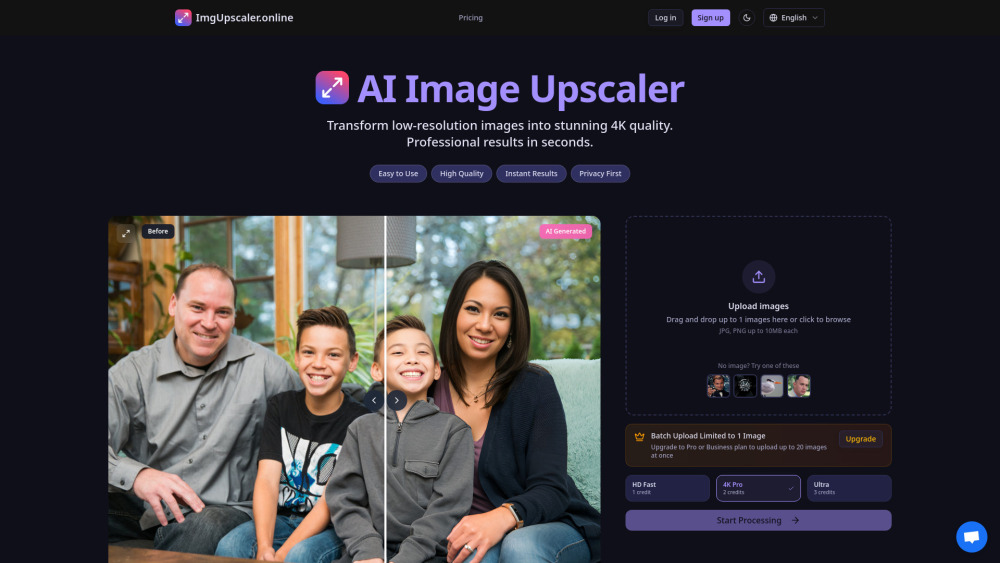
AI Image Upscaler Pro
AI tool to fix blurry, ragged, low-resolution images and upscale to 4K.
Screenshots
Overview
AI Image Upscaler Pro is a dedicated tool for enhancing low-quality images by fixing blurriness, ragged edges, and poor resolution, with the ability to scale visuals up to crisp 4K quality. It leverages artificial intelligence to intelligently reconstruct details, resulting in sharper and more polished images than standard resizing methods. This tool is particularly useful for photographers, e-commerce sellers, and digital content creators who need high-resolution versions of their work for printing or online display. By automating the enhancement process, it eliminates the guesswork of manual editing, offering a straightforward solution for anyone wanting to improve their image quality quickly.
How to Use
Upload a blurry or low-resolution image, then choose the desired upscale level (up to 4K). The AI enhances sharpness and detail, and you can preview the result before downloading the improved version.
Core Features
Use Cases
- 1 Professional Photography: Enhance portfolios with gallery-quality, print-ready images.
- 2 E-commerce & Product Photos: Create crystal-clear product images to boost conversion rates.
- 3 Social Media Content: Make every post high-resolution and attention-grabbing.
- 4 Real Estate & Architecture: Produce stunning property photos for listings and virtual tours.
- 5 Print & Publishing: Upscale images for large-format printing without pixelation.
- 6 Personal Memories: Restore and enhance cherished old family photos and vacation snapshots.
Frequently Asked Questions
What is ImgUpscaler.online?
Does ImgUpscaler.online offer a free trial?
What are the differences between the three quality modes?
Is my image secure?
How does pricing work? What plans are available?
Quick Info
- Category
- Image Generation & Editing
- Subcategory
- AI Photo Restoration
- Added on
- Nov 16 2025
- Monthly Visits
- --
- Rating
- 5.0 / 5.0
- Saved
- 1





