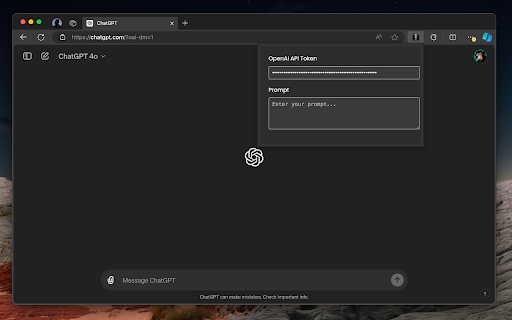
Voice-to-Text Anywhere in Chrome with OpenAI Whisper API - Chrome Extension
Voice-to-text Chrome extension using OpenAI Whisper API.
Screenshots
Overview
This Chrome extension brings the power of OpenAI's Whisper API to your browser, enabling highly accurate voice-to-text conversion wherever you need it. By leveraging Whisper's robust speech recognition capabilities, the extension allows users to dictate emails, documents, or search queries directly into any text field on the web. It is especially appealing to professionals, writers, and students who want a reliable dictation tool that understands multiple languages and accents. The seamless integration into Chrome makes it a practical, always-available utility for hands-free typing.
How to Use
Install the extension and grant microphone access. Click the icon on any text field in Chrome, speak, and your words are transcribed via OpenAI's Whisper API and inserted automatically.
Core Features
Use Cases
- 1 Dictating emails, documents, or social media posts directly in Chrome
- 2 Transcribing online meetings or lectures in real-time
- 3 Providing voice input for web forms and surveys
Frequently Asked Questions
Does this extension require an OpenAI API key?
Is my audio data secure when using this extension?
Quick Info
- Category
- Voice Generation & Conversion
- Subcategory
- AI Speech-to-Text
- Added on
- May 22 2024
- Monthly Visits
- 87
- Rating
- 1.0 / 5.0
- Reviews
- 2






