Voiceboost - Chrome Extension
Chrome extension for voice-controlled ChatGPT interaction.
Screenshots
Overview
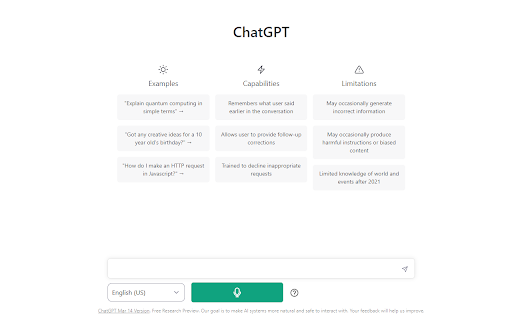
Voiceboost is a Chrome extension that enables hands-free interaction with ChatGPT through voice commands. Instead of typing prompts, users can simply speak their questions or requests, and the extension manages the interaction with the AI. This is particularly useful for those who think faster than they type, multitask, or have physical limitations that make typing difficult. It transforms ChatGPT into a conversational assistant that feels more natural and immediate, making it suited for brainstorming, quick research, or casual Q&A sessions while you're busy with other tasks.
How to Use
Add Voiceboost to Chrome, then open ChatGPT. Click the extension icon to enable voice control; speak your prompts aloud and ChatGPT will respond as usual, with your voice converted to text.
Core Features
Use Cases
- 1 Hands-free interaction with ChatGPT
- 2 Dictating questions and prompts to ChatGPT
Frequently Asked Questions
How do I start recording my voice?
How do I stop recording and submit my voice input?
Do I need to grant microphone permissions?
Quick Info
- Category
- Voice Generation & Conversion
- Subcategory
- AI Speech-to-Text
- Added on
- Sep 05 2024
- Monthly Visits
- 57
- Rating
- 3.5 / 5.0
- Reviews
- 2






