LipSurf - Chrome Extension
Voice control browser extension for hands-free web browsing and productivity.
Screenshots
Overview
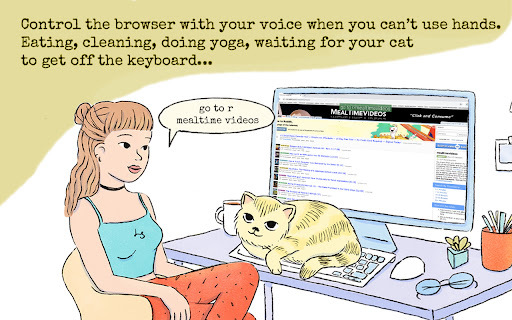
LipSurf is a voice control browser extension that enables hands-free web browsing and productivity. Using voice commands, you can navigate pages, click links, fill forms, scroll, and use popular web apps—all without touching the keyboard or mouse. This is particularly helpful for people with mobility challenges, repetitive strain injuries, or anyone who prefers a more ergonomic way to work online. LipSurf brings true voice-driven control to the everyday browsing experience, boosting both accessibility and efficiency.
How to Use
Add LipSurf to your browser and enable the microphone. Use voice commands like "click", "scroll down", or "open new tab" to control web pages, and create custom commands for specific sites. Speak naturally to fill forms, navigate, and execute actions hands-free.
Core Features
Use Cases
- 1 Hands-free browsing while eating or multitasking
- 2 Voice control for Gmail: selecting, marking, composing, and dictating emails
- 3 Voice control for YouTube: playing, pausing, and fast-forwarding videos
- 4 Voice control for Duolingo and WaniKani: answering questions hands-free
- 5 Voice control for Reddit: upvoting, visiting posts, and commenting
Frequently Asked Questions
How do I activate LipSurf?
How do I find out what commands are available on a specific page?
Can I customize the commands?
What languages does LipSurf support?
Quick Info
- Category
- Voice Generation & Conversion
- Subcategory
- AI Speech-to-Text
- Added on
- Aug 06 2023
- Monthly Visits
- 4.0K
- Rating
- 4.0 / 5.0
- Reviews
- 108






